
OMTech K40+ 45W
4.4Editor score
Compact desktop workspace design
Integrated air assist system
Wide software compatibility support
This guide compares the top ten CO2 laser cutters available in 2026, evaluating power, workspace, safety features, and software compatibility for diverse users.
CO2 laser cutters are powerful tools for cutting and engraving non-metallic materials like wood, acrylic, and leather. They use a high-powered gas laser to create precise designs with clean edges and minimal effort for makers and professionals alike.
We evaluated ten leading models based on laser power, workspace size, safety certifications, software support, and user feedback. Our analysis prioritizes reliability, cutting speed, and ease of use to help you find the right machine for your workshop needs.
Each product review highlights key strengths, limitations, and ideal use cases to guide your purchase decision. Please note that availability and pricing can change frequently, so verify current details before finalizing your order to ensure the best value for your budget.
4.4Editor score

4.5Editor score

5.0Editor score
The following table provides a side-by-side comparison of all ten featured CO2 laser cutters, highlighting their core specifications to help you quickly identify the model that best fits your specific project requirements and workspace constraints.



The xTool P3 80W stands out as a flagship CO2 laser cutter designed for industrial-grade performance with intelligent automation. Its impressive 4.5 rating reflects user satisfaction with its speed and precision, making it a top choice for serious makers and small businesses aiming to scale production.
We may earn a commission when you buy through this link, at no additional cost to you.
This machine excels with a powerful 80W laser that cuts thick materials like 20mm wood and 25mm acrylic easily. The Revolutionary Automated Creation System integrates LiDAR ranging and dual HD cameras to ensure perfect autofocus and microscopic alignment accuracy, which reduces setup time and increases workflow efficiency.
While the price is high, the investment is justified by the Class 1 safety rating which fully encloses the laser for user protection. The only trade-off is that some advanced features like the conveyor feeder and air purifier are sold separately, requiring additional budget for a fully optimized setup.
Buy this if you need a reliable, high-speed cutter with minimal manual setup. It is ideal for professionals who value safety and automation. Its large workspace and precision make it a versatile tool for diverse projects from custom signage to large production runs.
The ACS system uses LiDAR and cameras to automate focus and positioning, saving time on repetitive setups.
Fully enclosed design with lid interlocks ensures safe operation even in open environments without protective eyewear.
We may earn a commission when you buy through this link, at no additional cost to you.
The OMTech K40+ 45W is a budget-friendly desktop CO2 laser engraver and cutter ideal for beginners and small shops. With a solid 4.4 rating, it offers a balance of performance and cost, allowing hobbyists to start creating custom designs without a massive financial commitment.
We may earn a commission when you buy through this link, at no additional cost to you.
Its upgraded 45W laser cuts 10mm acrylic and 8mm wood effectively, which is sufficient for many DIY projects. The integrated air assist system automatically adjusts airflow to reduce debris and protect the lens, while compatibility with LightBurn and LaserGRBL ensures a smooth software experience for users of all skill levels.
The main limitation is the compact 12×8 inch workspace, which restricts larger projects. Additionally, safety features like water protection and door interlocks are present but basic. These trade-offs are acceptable given the low price point, making it a practical starter machine for limited spaces.
Choose this if you want an affordable, reliable laser cutter for small items. It is perfect for personalized gifts, prototyping, or light commercial work. Its compact design fits easily on a workbench, and the comprehensive support team ensures help is available whenever needed.
Compact size supports standard and irregular materials with optional rotary axis for cylindrical engraving.
Includes door protection and emergency stop alongside 24/7 global support and local demo availability.
We may earn a commission when you buy through this link, at no additional cost to you.
The VEVOR 100W CO2 Laser Engraver offers an impressive 5.0 rating for its spacious workspace and high-speed cutting capabilities. This machine is perfect for users who need to process larger sheets of material without making multiple passes, making it a strong choice for small production runs.
We may earn a commission when you buy through this link, at no additional cost to you.
Equipped with a 100W laser tube, it cuts materials up to 0.59 inches thick in one pass and engraves at speeds up to 19.7 IPS. The digital control panel is intuitive and works with popular third-party graphic software like CorelDRAW and AutoCAD, providing flexibility for designers and engineers.
The 24×35 inch area with pass-through doors accommodates long items easily, though it requires a dedicated workspace. The safety window is tinted for eye protection, and the air assist keeps cuts clean. These features make it a robust option for those needing professional results at a reasonable price.
Buy this if you need a large format cutter without the price of industrial models. It suits sign makers or custom furniture creators. The ease of operation and wide material compatibility ensure you can tackle diverse projects confidently and efficiently in your own studio.
24 by 35 inch workspace with honeycomb bed and pass-through doors handles large projects comfortably.
Intuitive digital panel supports major design software for smooth workflow from file to finished product.
We may earn a commission when you buy through this link, at no additional cost to you.
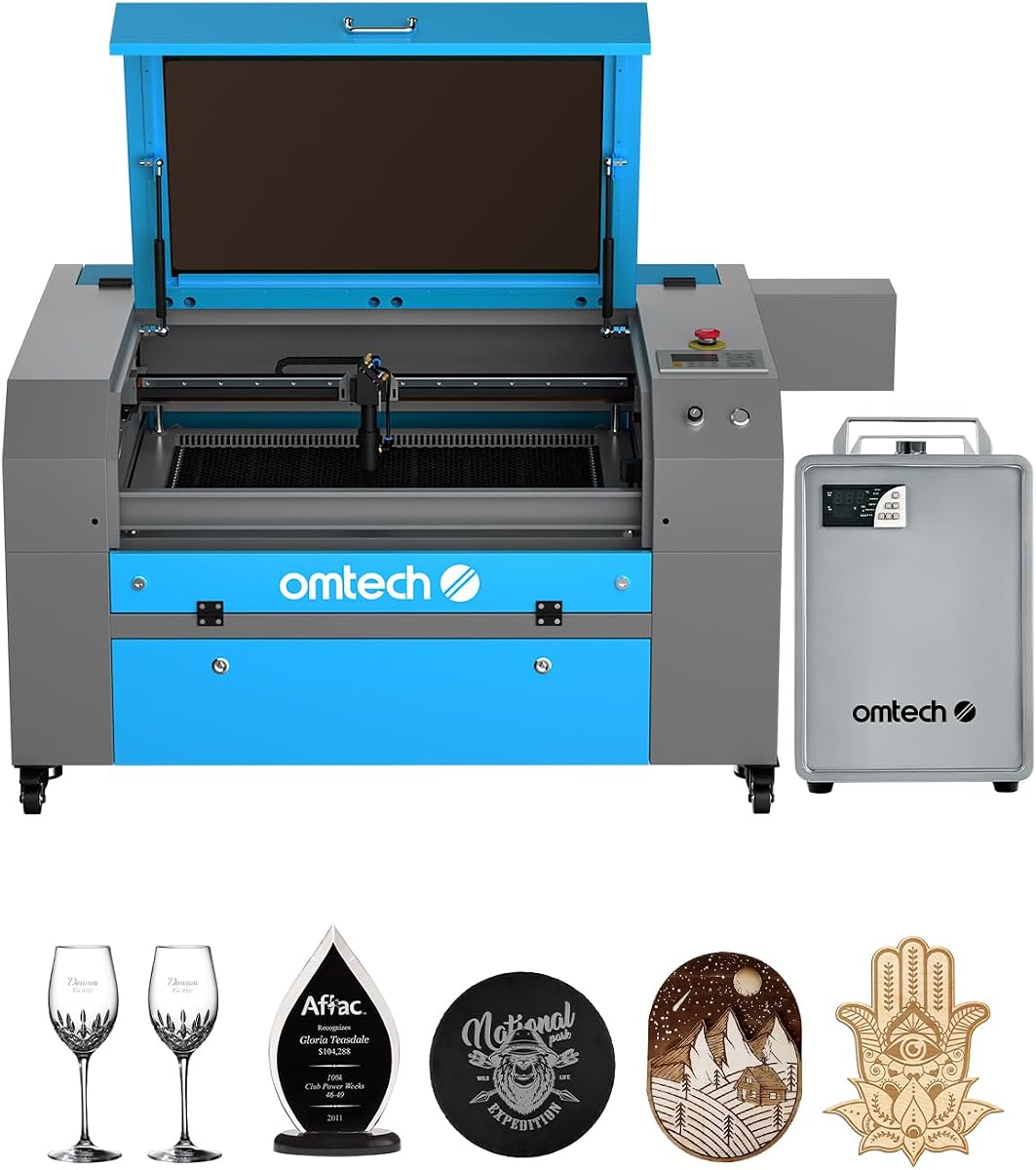
The OMTech Maker 90W comes bundled with a water chiller to support extended engraving sessions without overheating. This feature is crucial for continuous production work, allowing users to maximize output without stopping to cool the laser tube manually or manually manage temperature risks.
We may earn a commission when you buy through this link, at no additional cost to you.
Its 90W power cuts 0.4 inches deep and features a high-performance Yongli H2 tube with up to 8000 hours of usage. The four-way pass-through doors make it easy to handle long items, while the widened flame retardant viewing window ensures safety without sacrificing visibility during operation.
The machine is solid and requires a sturdy stand due to its weight. While the air assist helps keep cuts clean, users must maintain the chiller system regularly. These minor downsides are outweighed by the reliability and continuous operation capability it offers for small businesses.
Choose this if you plan to run the machine for hours at a time. The included chiller provides peace of mind and stability. It is a strong mid-range option for those needing consistent performance and the ability to process large or long items easily.
Bundled chiller keeps the laser cool during extended sessions, enhancing tube life and consistency.
Pass-through design on all sides allows accommodating longer and taller materials with ease.
We may earn a commission when you buy through this link, at no additional cost to you.
The OMTech Maker 60W is a commercial-grade bundle that includes LightBurn software and a water chiller for immediate setup. Its 4.7 rating highlights user satisfaction with the autofocus feature, which eliminates guesswork and simplifies the engraving process for both beginners and experienced users.
We may earn a commission when you buy through this link, at no additional cost to you.
The workbeds adjust up and down at the touch of a button, ensuring perfect focus distance every time. This reduces manual adjustments and saves setup time. The included water chiller ensures the 60W laser operates smoothly during long projects, while the air assist maintains lens protection and clean cuts.
The price reflects the added value of the software and chiller bundle. While the 20×28 inch workspace is standard, the autofocus feature adds significant convenience. The flame retardant window and safety interlocks ensure safe operation, making this a comprehensive package for reliable production work.
Buy this if you want a hassle-free setup with essential accessories included. The autofocus and LightBurn integration make it user-friendly. It suits users who value efficiency and want a complete solution without sourcing third-party add-ons separately.
Preinstalled autofocus finds the right focal distance automatically, reducing manual setup time.
Includes LightBurn software and water chiller for a ready-to-use experience out of the box.
We may earn a commission when you buy through this link, at no additional cost to you.
This OMTech K40+ 45W offers a compact 12×8 inch workspace perfect for desktop use in home studios. It maintains a strong 4.5 rating for its ability to slice through acrylic and wood with ease, providing professional results for personal and small commercial projects.
We may earn a commission when you buy through this link, at no additional cost to you.
The integrated air assist auto-adjusts based on power settings to clear debris and reduce fire risk. Engraving speeds reach up to 300 mm/s, enabling quick turnaround for complex designs. Support for LightBurn and LaserGRBL ensures flexibility, while comprehensive safety features like emergency stops protect users.
The compact design limits large projects, but it fits easily in smaller rooms. The local care support ensures help is available if issues arise. While not for heavy industrial use, its balance of performance and footprint makes it a practical tool for hobbyists.
Choose this if you have limited space but want powerful laser capabilities. It is ideal for small gifts and personal items. The high speed and wide software compatibility help you get more done efficiently without needing extensive technical skills.
Engraves at up to 300 mm/s for complex designs and bulk orders in less time.
Supports standard and irregular materials with detachable base for expanded creative potential.
We may earn a commission when you buy through this link, at no additional cost to you.
The OMTech Pronto 100W delivers unmatched efficiency with speeds up to 39.4 inches per second, 37% faster than traditional models. This performance makes it a favorite for users needing high output without sacrificing quality, earning it solid trust in commercial environments.
We may earn a commission when you buy through this link, at no additional cost to you.
The 100W tube supports cutting various non-metal materials with precision. Autofocus technology removes setup guesswork, ensuring consistent results. The large 40×24 inch work area with pass-through doors accommodates bigger items, while the powerful air pump ensures clean cuts with minimal burn marks.
It is a heavier machine that needs ample floor space. The price is higher but justified by the speed and efficiency gains. Safety features like water protection and temperature alarms provide peace of mind. Overall, it balances speed and capacity effectively.
Buy this if speed is a priority for your business. The large workspace handles diverse project sizes. It suits makers and small businesses looking to scale production quickly. The efficiency gains help maximize ROI on every material run.
Engraving speeds up to 39.4 inches per second offer a competitive edge for faster project completion.
Powerful air pump and fan reduce material burn for precise and clean final edges.
We may earn a commission when you buy through this link, at no additional cost to you.
The OMTech Pronto 130W is a powerhouse with a massive 51×35 inch workspace that handles large industrial projects. With a perfect 5.0 rating, it delivers deep cuts and fast engraving, making it an ideal choice for professionals needing heavy-duty capacity in their workshop.
We may earn a commission when you buy through this link, at no additional cost to you.
The 130W tube cuts 0.4 inches deep on materials like wood and acrylic with ease. Autofocus workbeds adjust automatically at the touch of a button for quick setup. The laser tube lasts up to 12,000 hours, ensuring longevity and cost-effective long-term performance.
This unit demands significant floor space and a stable power setup. The price reflects its industrial capabilities, but the value is high for high-volume users. Comprehensive protection features like temperature alarms and emergency stops prioritize safety during intense operation.
Choose this if you need maximum power and workspace size. It suits professional studios or manufacturers. The speed and capacity help you handle orders faster. It is a reliable investment for those scaling laser operations to industrial levels.
51 by 35 inch work area fits large projects and longer items with pass-through doors.
130W power allows deep cuts and fast speeds, extending lifespan when used at lower settings.
We may earn a commission when you buy through this link, at no additional cost to you.
This OMTech K40+ 45W is a portable desktop CO2 laser engraver and cutter perfect for hobbyists starting out. Its design allows easy transport and storage, making it suitable for makers who need flexibility in their workspace without committing to a large stationary unit.
We may earn a commission when you buy through this link, at no additional cost to you.
The 45W power handles typical wood and acrylic projects with reasonable speed. Air assist clears smoke and debris to reduce burn risk. The setup is straightforward, and the safety features provide basic protection. It is a solid choice for beginners needing an affordable entry point.
The compact size limits larger production, but it suits small craft needs well. The price is competitive for the features offered. Users should keep expectations realistic regarding speed and depth. It remains a great option for personal use or prototyping.
Buy this if portability and affordability are your main goals. It fits well on a small desk. The ease of use ensures you can start creating quickly. It is a smart choice for those testing laser technology without a large budget.
Compact size fits on standard workbenches, ideal for hobbyists and small spaces.
Air assist and safety features reduce risks for casual users learning laser engraving basics.
We may earn a commission when you buy through this link, at no additional cost to you.
The OMTech Pro 130W is a top-tier industrial CO2 laser cutter featuring built-in water chilling and servo motors for precision. Its advanced control system and massive workspace make it a premium choice for professional shops requiring high throughput and accuracy in every run.
We may earn a commission when you buy through this link, at no additional cost to you.
The 130W power handles heavy-duty cutting on wood and acrylic. Engraving speeds reach 1,200 mm/s, supported by ball-bearing rails for smooth operation. WiFi connectivity and Ruida touchscreen control offer modern convenience. The flame-retardant window ensures safety while providing clear visibility.
This unit requires professional installation and ample power. The cost is high, but it matches industrial standards. The built-in chiller reduces external equipment needs. For those needing top performance, this machine delivers reliability and speed unmatched by lower-end options.
Choose this if you run a high-volume production facility. The features support complex industrial workflows. It maximizes efficiency and accuracy. For serious professionals, the investment ensures a competitive edge in the market.
Upgraded ball-bearing guide rails and servo motors enable precise and rapid engraving.
Ruida 6445G touchscreen with WiFi offers effortless control and connectivity for modern workflows.
We may earn a commission when you buy through this link, at no additional cost to you.
Selecting the right CO2 laser cutter requires understanding your material needs, workspace, and technical comfort. This section outlines key factors to consider before purchasing.
Laser power, measured in watts, determines cutting speed and depth. Higher wattage allows faster cuts through thicker materials like wood and acrylic. Lower power suits light engraving tasks and budget constraints.
Choose higher wattage for production needs and lower wattage for small projects or beginners.
The workspace size defines the maximum material dimensions you can process. Large machines accommodate bigger sheets but require more floor space. Compact units fit small benches but limit material size.
Measure your workspace and typical material sizes before selecting a machine.
Safety features protect users from harmful lasers and fire hazards. Look for Class 1 enclosures, emergency stops, and door interlocks. Proper ventilation is also critical for air quality.
Prioritize machines with certified safety standards and automatic shut-off mechanisms.
Software controls the laser and determines ease of use. Support for popular programs like LightBurn ensures flexibility. Proprietary software may limit design options but simplifies setup.
Choose software that matches your existing design tools and workflow preferences.
Air assist clears smoke and debris during cutting to protect the lens and reduce burns. Integrated systems adjust automatically for efficiency. Manual pumps require extra setup and maintenance.
Look for integrated air assist systems to ensure consistent cut quality.
Water chillers regulate tube temperature during extended use to prevent overheating. Built-in units simplify setup, while external ones allow customization. Continuous operation demands effective cooling.
Consider a built-in chiller if you plan long engraving sessions.
Budget influences power, size, and features available. High-end models offer automation and speed but cost more. Basic units are affordable but may lack advanced safety or efficiency features.
Balance upfront cost with long-term needs and production demands.
Reliable support helps resolve issues quickly. Check warranty terms and local service availability. Remote guidance and video tutorials also add value for troubleshooting.
Select brands with responsive support and clear warranty policies.
Start by installing the software and connecting the machine securely. Ensure all safety enclosures are closed before powering on the system. Verify that the air assist and exhaust fans are running to maintain air quality.
Set up your design file and import it into the software. Adjust laser power and speed settings based on material thickness. Use the autofocus feature or manual measurement to set the correct focal distance for best results.
After each session, clean the lens and bed of debris to prevent damage. Check water levels and coolant systems regularly to avoid overheating. Store the machine in a dry place and keep the workspace free of flammable materials.
CO2 laser cutters work well with non-metallic materials such as wood, acrylic, leather, paper, and cardboard. They can also etch glass or stone with proper settings. Avoid metals like steel or aluminum as they require fiber lasers.
It is safe when proper precautions are taken. Enclosed machines with interlocks prevent exposure. Always use ventilation to remove fumes. Follow fire safety guidelines and never leave the machine unattended during operation.
Most modern CO2 machines have enclosed windows that filter harmful radiation. Class 1 machines generally do not require additional eyewear. However, check the specific safety rating of your model to ensure compliance with safety standards.
A typical CO2 tube lasts between 5,000 and 15,000 hours depending on usage. High power and heat reduce lifespan. Cooling systems and proper maintenance help extend the tube life significantly for consistent performance.
No, CO2 lasers generally cannot cut metal effectively. They can mark or etch some treated metals but not cut through them. Fiber lasers are required for cutting metal materials with precision and speed.
LightBurn is widely recommended for its user-friendly interface and extensive control features. LaserGRBL is another popular free option. Proprietary software may come with machines but can be less flexible for advanced designs.
Regular cleaning of lenses, mirrors, and rails keeps performance optimal. Check water chiller levels and ensure ventilation is clear. Lubricate moving parts and inspect the tube for signs of wear periodically.
Engraving removes a thin layer to create surface designs. Cutting cuts through the entire material. Different power and speed settings are needed. Cutting usually requires higher power to penetrate the material fully.
The xTool P3 80W and OMTech Pronto 130W offer top-tier performance for professionals, while the OMTech K40+ 45W suits budget-friendly entry. Your choice depends on required workspace and cutting capacity.
Prioritize safety features and software support to ensure smooth operations. Higher power and larger areas cost more but deliver better production value. Balance these needs with your budget constraints.
Always check current prices and availability before buying as offers may change. Read user reviews for real-world feedback. Taking time to compare features ensures you pick the ideal machine for your needs.