
Dell 24 240Hz Gaming Monitor
4.7Editor score
0.5ms response time
IPS panel with wide viewing
AMD FreeSync Premium support
Finding the right display can make or break your ranked journey in fast-paced shooters. A high refresh rate screen ensures smooth motion and reduces blur during intense firefights.
We analyzed ten leading models based on technical specifications, user feedback, and esports readiness. Each option offers unique strengths for players seeking every possible advantage.
Each pick highlights specific benefits like response time, color accuracy, and adaptive sync support. Remember that availability and stock levels can change frequently on retailer sites.
4.7Editor score
4.5Editor score

4.4Editor score
As an Amazon Associate we earn from qualifying purchases.
This side-by-side comparison outlines the key specifications of each model to help you decide which monitor fits your specific gaming setup and budget needs.



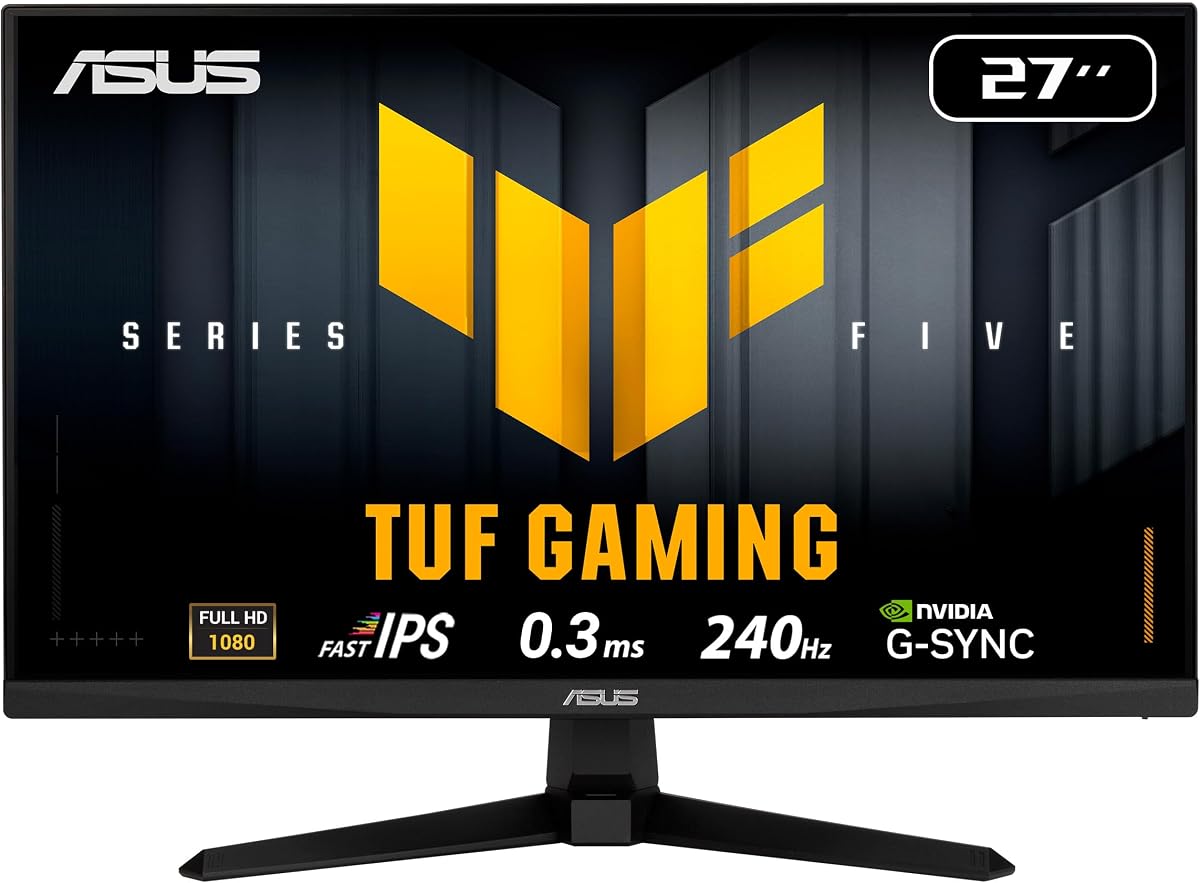
This ASUS TUF model stands out for its exceptional speed and motion clarity. It holds a solid rating among competitive gamers who prioritize frame consistency.
We may earn a commission when you buy through this link, at no additional cost to you.
The Fast IPS technology delivers crisp visuals with minimal ghosting. ELMB SYNC technology further sharpens images during rapid turns or intense firefights.
While the stand does not swivel, the tilt and height options are functional. The higher price point is justified by the premium performance features included.
Ideal for serious Valorant players seeking a reliable 27-inch screen. It balances responsiveness with color accuracy well for a competitive edge.
The 0.3ms response time ensures minimal motion blur during fast gameplay. This helps players track moving targets with precision.
Support for G-SYNC and FreeSync Premium eliminates screen tearing. This creates a smoother experience across different frame rate scenarios.
We may earn a commission when you buy through this link, at no additional cost to you.
Dell offers a compelling choice for those seeking high refresh without overspending. This model maintains a high user rating for consistent performance and clarity.
We may earn a commission when you buy through this link, at no additional cost to you.
The IPS panel ensures vibrant colors and wide viewing angles. It supports FreeSync Premium for smoother gameplay on compatible AMD graphics cards.
Eye comfort features like TÜV certification are a nice addition for long sessions. However, the stand only allows tilt adjustments which may not suit everyone.
Great for gamers on a budget needing a reliable 240Hz display. It provides strong performance metrics suitable for competitive play.
The Fast IPS panel delivers 99% sRGB coverage for vivid visuals. This ensures detailed imagery remains clear during complex scenes.
TÜV Rheinland certification helps reduce blue light exposure. This minimizes eye strain during extended gaming sessions.
We may earn a commission when you buy through this link, at no additional cost to you.
This ASUS model combines premium features like a fully adjustable stand with high-speed performance. It is rated well for users needing flexibility in setup.
We may earn a commission when you buy through this link, at no additional cost to you.
The 0.3ms response time provides sharp visuals critical for competitive gaming. ELMB SYNC helps eliminate ghosting even when variable refresh rates are active.
While it costs more than basic options, the ergonomic adjustments justify the investment. Users benefit from better posture support during long ranked sessions.
Best for professionals or enthusiasts who value build quality. It offers a balanced mix of speed and comfort for serious Valorant play.
The stand allows height and tilt adjustments for optimal viewing. This helps reduce physical fatigue during extended use.
ELMB SYNC technology reduces blur without disabling adaptive sync. This keeps motion crisp even during fast camera movements.
We may earn a commission when you buy through this link, at no additional cost to you.
This AOC model offers a larger 27-inch QHD panel for sharper details. It is well-rated for users wanting higher resolution alongside fast refresh rates.
We may earn a commission when you buy through this link, at no additional cost to you.
The overclocked refresh rate of 260Hz provides extra smoothness. Adaptive-Sync ensures tearing-free visuals across AMD and NVIDIA graphics cards.
However, driving 1440p at high speeds demands a powerful graphics card. The stand options are basic compared to higher-end ergonomic models.
Excellent for PC gamers with strong hardware seeking detail. It balances resolution and speed effectively for competitive scenarios.
The QHD resolution provides extra sharpness for distant targets. This helps in identifying enemies earlier in matches.
Users can push the refresh rate to 260Hz via DisplayPort. This offers smoother motion than standard 240Hz panels.
We may earn a commission when you buy through this link, at no additional cost to you.
SANSUI offers an impressive refresh rate of up to 300Hz for fast-paced play. This model is praised for its responsiveness and included warranty support.
We may earn a commission when you buy through this link, at no additional cost to you.
The Fast IPS panel helps maintain clarity during rapid movement. Features like crosshair assistants and shadow boost aim to assist competitive aiming.
It is a great alternative if you need high speed on a budget. But the brand is less known than major competitors like Dell or ASUS.
Ideal for gamers prioritizing raw speed over brand prestige. The warranty support adds confidence for those trying a new brand.
This monitor supports refresh rates up to 300Hz via DisplayPort. This extra speed can reduce input lag slightly.
Built-in game assistants include crosshair overlays and shadow controls. These tools help improve visibility during dark scenes.
We may earn a commission when you buy through this link, at no additional cost to you.
Amzfast presents a curved option for those preferring immersive screens. It is designed to maximize desk space with its ultra-slim base.
We may earn a commission when you buy through this link, at no additional cost to you.
The curved panel helps maintain focus on the center of the screen. It supports 240Hz refresh rate and adaptive sync for smooth visuals.
While it has no reviews yet, the specs suggest strong performance. The base design is unique for small desk setups.
Consider this if you want a curved screen on a budget. It offers solid specs for the price without major compromises.
The ultra-slim base allows under-keyboard storage options. This is useful for gamers with limited desk real estate.
124% sRGB coverage ensures vivid color representation. This makes game environments look rich and detailed.
We may earn a commission when you buy through this link, at no additional cost to you.
This MSI model holds an excellent user rating for reliable performance. It brings a 27-inch VA panel to the fast gaming segment.
We may earn a commission when you buy through this link, at no additional cost to you.
The 0.5ms response time is competitive for this price point. AI Vision technology helps reveal details in dark corners during night matches.
VA panels typically offer better contrast but slower response than IPS. However, this model keeps lag low enough for competitive use.
Best for users needing large screen size at a good price. The AI Vision feature adds a practical advantage for visibility.
0.5ms GtG response helps reduce motion blur effectively. This ensures targets remain clear during quick movements.
AI Vision enhances brightness in darker areas automatically. This aids in spotting enemies hiding in shadows.
We may earn a commission when you buy through this link, at no additional cost to you.
Another strong offering from AOC focuses on speed and screen size. It combines a large IPS panel with a high refresh rate for smooth gameplay.
We may earn a commission when you buy through this link, at no additional cost to you.
The 260Hz overclock is accessible via HDMI and DisplayPort. This gives users flexibility depending on their available connections.
Flicker-free technology ensures comfort during long sessions. The design supports multi-monitor setups well due to the frameless bezel.
Great for gamers wanting a big screen without sacrificing speed. It balances performance and design for a versatile setup.
Both HDMI and DisplayPort support the overclocked rate. This makes it easy to connect different systems.
Flicker-free and low power modes reduce eye strain. This helps maintain comfort during extended competitive sessions.
We may earn a commission when you buy through this link, at no additional cost to you.
SANSUI offers a deep 1500R curve for enhanced immersion. This model is noted for its strong warranty policy and visual clarity.
We may earn a commission when you buy through this link, at no additional cost to you.
The 3000:1 contrast ratio provides deep blacks and vibrant colors. It supports HDR and wide color gamuts for better fidelity.
While ergonomic features are limited, the visual specs are competitive. The warranty offers peace of mind for newer users.
Ideal for those wanting a curved screen at a low cost. It delivers solid performance for casual and competitive play.
3000:1 contrast ensures deep blacks for better visibility. This helps in spotting dark enemies easily.
124% sRGB and 93% DCI-P3 cover wide gamuts. This ensures rich visuals in any environment.
We may earn a commission when you buy through this link, at no additional cost to you.
This ASUS model offers a 25-inch panel which balances size and speed. It is rated highly for its response times and warranty coverage.
We may earn a commission when you buy through this link, at no additional cost to you.
The 0.3ms GTG response ensures sharp visuals during movement. G-SYNC compatibility allows for tear-free gaming on NVIDIA GPUs.
While it lacks height adjustment, the stand is stable. The color accuracy is excellent for both gaming and general use.
Perfect for gamers wanting a medium screen with premium speed. It offers a solid choice for those who prefer 25 inches.
The 25-inch size fits well in most gaming setups. It offers a good balance between detail and peripheral vision.
A 3-year warranty provides long-term peace of mind. This covers most manufacturing defects effectively.
We may earn a commission when you buy through this link, at no additional cost to you.
Selecting the right monitor involves understanding key technical specs and ergonomic needs. This guide breaks down the most critical factors for competitive gaming.
Refresh rate determines how many frames are shown per second. Higher rates like 240Hz provide smoother motion and reduced blur.
Look for monitors that officially support 240Hz for the best experience.
Response time is the speed a pixel changes color. Lower times like 0.5ms or less reduce ghosting.
Choose a panel with sub 1ms response for fast shooting games.
IPS panels offer wide viewing angles and fast response. VA panels have better contrast but often slower response.
Prioritize Fast IPS panels for competitive accuracy and color.
Adaptive Sync prevents screen tearing when frame rates drop. G-Sync and FreeSync are the main standards available.
Ensure your graphics card matches the monitor support type.
1080p resolution keeps high frame rates easy to reach. Higher resolutions may lower your average fps.
Stick to 1080p for maximum speed in Valorant.
DisplayPort is essential for highest refresh rates. HDMI may have lower limits on some models.
Verify the port supports the full speed needed.
Adjustable stands help you sit properly for long hours. Height and tilt adjustments are key to comfort.
Look for stands that allow full range adjustments.
A good warranty protects your investment. Look for 3-year coverage for major brands.
Check policies on dead pixels specifically.
Ensure you have a powerful GPU to sustain high frames. This allows you to fully utilize the high refresh rate.
Clean the screen with a soft microfiber cloth regularly. Avoid harsh chemicals to prevent coating damage.
Use night light settings for evening play sessions. This protects your eyes from strain over time.
Yes, it significantly reduces motion blur and improves responsiveness. This can help you track enemies faster during intense fights.
You do not need full 240fps to benefit. Any increase in frames improves fluidity but diminishing returns exist.
Use a high-quality DisplayPort 1.2 cable or newer. HDMI may not support the full refresh rate on some models.
No, G-Sync requires NVIDIA. However FreeSync works on most AMD and newer NVIDIA cards.
Most pros prefer 24 or 25 inches for close focus. Larger sizes might distract from central targeting.
Curved screens help with immersion but do not improve speed. Flat panels are usually better for precise aiming.
Go to Display Settings and select the refresh rate. Also check your graphics control panel to confirm.
We covered ten top models ranging from budget to premium. Each offers distinct strengths for different setups and needs.
Prioritize fast response times and adaptive sync features for the best edge. Ergonomics are also vital for long sessions.
Always check current stock and availability on the links provided. Prices and offers change frequently on retailer sites.