
Nulea M501 Wireless Trackball Mouse
4.4Editor score
Smooth thumb control design
Adjustable DPI levels
Rechargeable battery included
This guide compares the top ten ergonomic trackball mice for comfort and precision, helping you find the best model for your workspace needs.
Ergonomic trackball mice offer a unique solution for reducing wrist strain during long work sessions. By keeping your hand stationary and using a thumb or finger to control the cursor, these devices promote better posture and comfort.
We evaluated ten leading models based on design, connectivity, battery life, and user feedback. Each product was selected for its ability to deliver precise tracking while minimizing physical stress on the forearm and hand.
Each pick highlights key features, pros, and cons to help you decide quickly. Keep in mind that prices and availability can change over time, so verify current details before making your final purchase decision.
4.4Editor score
4.5Editor score

4.4Editor score
The following table provides a side-by-side comparison of all ten models. It highlights essential specifications and features to help you identify which mouse aligns best with your specific workflow and comfort needs.




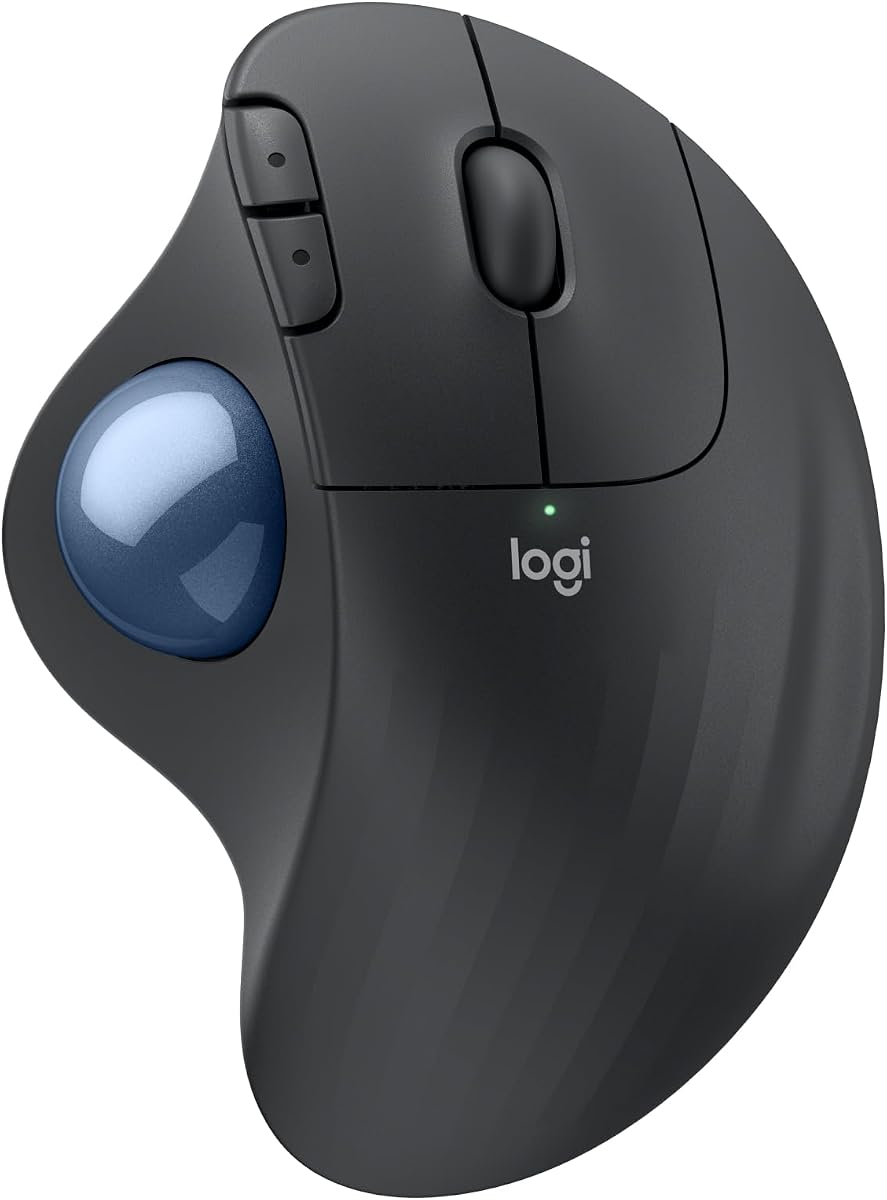
The Logitech Ergo M575S stands out as a top contender in the ergonomic trackball category. It holds a strong rating from users who appreciate its comfortable design and reliable performance for all-day work tasks.
We may earn a commission when you buy through this link, at no additional cost to you.
Its sculpted shape supports natural forearm posture while reducing muscle strain. The thumb-controlled trackball allows precise cursor movement without shifting your hand, making it ideal for tight desks. Quiet clicks ensure a peaceful environment.
While the AA battery is not rechargeable, the long life minimizes replacements. The lack of rechargeability might deter eco-conscious users, but the convenience of swapping batteries quickly offsets this for many professionals.
This mouse is best suited for office workers seeking comfort and efficiency. Its certification by ergonomists validates its design, making it a safe choice for those with wrist pain or those looking to prevent strain.
The ergonomic shape aligns the forearm naturally, reducing strain by 25% based on expert testing.
Connect via Bluetooth or Logi Bolt and enjoy up to 18 months of use on a single AA battery.
We may earn a commission when you buy through this link, at no additional cost to you.
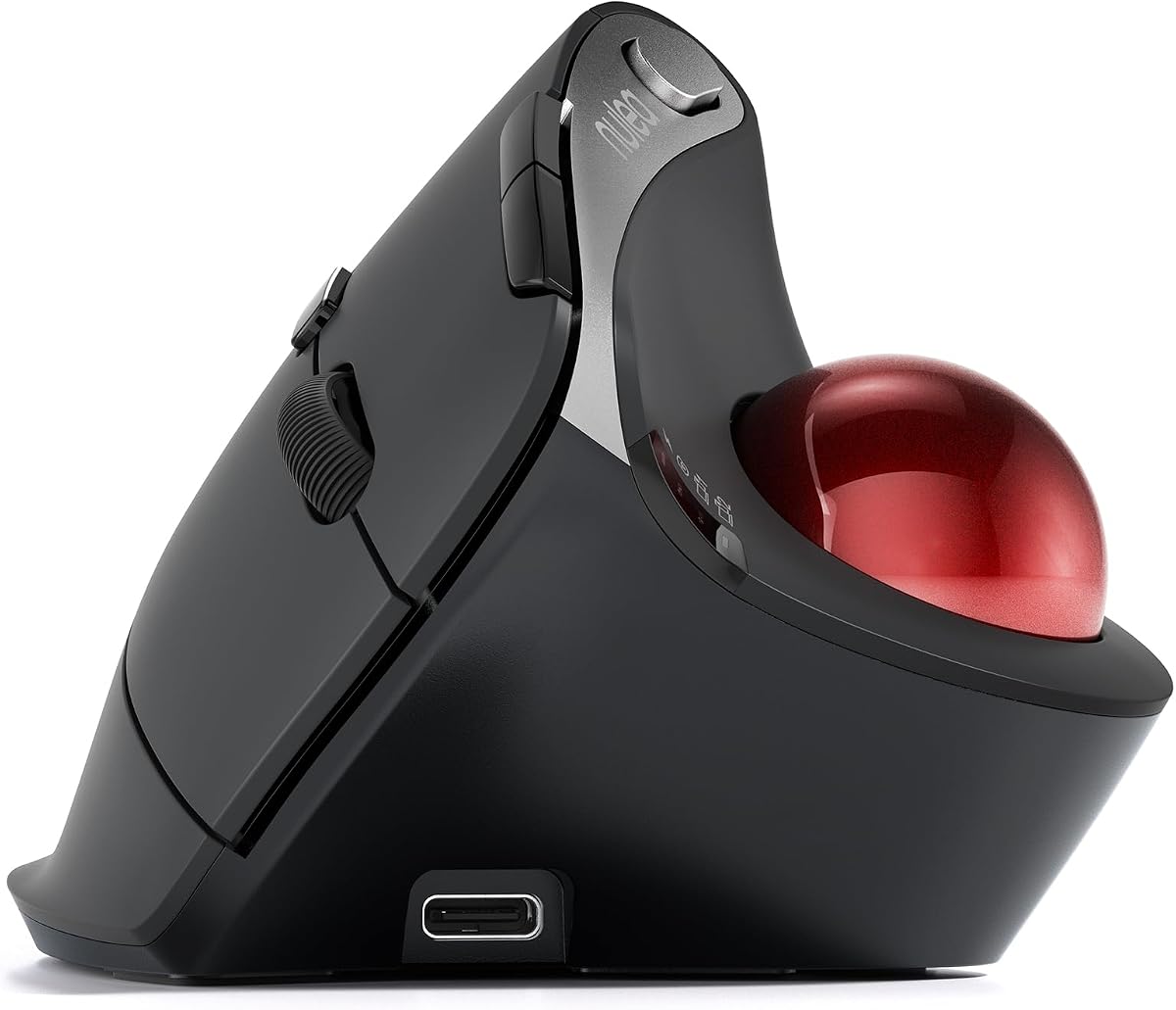
The Nulea M501 offers a compelling balance of features and cost for budget-conscious buyers. It delivers solid tracking and ergonomic benefits without the premium price tag of larger brands.
We may earn a commission when you buy through this link, at no additional cost to you.
Users benefit from its smooth thumb control and rechargeable battery, which eliminates the need for disposable cells. The adjustable DPI levels allow customization for different tasks, from browsing to detailed work.
The main trade-off is the lack of programmable buttons, which limits advanced workflows. However, for general office use, the standard buttons provide sufficient functionality for most daily activities.
This model is ideal for students or remote workers on a tight budget. It provides essential ergonomic features and wireless freedom, making it a smart entry point into trackball usage.
You get essential ergonomic benefits and wireless freedom at a fraction of the cost of high-end models.
The built-in rechargeable battery reduces waste and ensures you never run out of power unexpectedly.
We may earn a commission when you buy through this link, at no additional cost to you.
The Logitech 910007026 Ergo M575S focuses on improving forearm posture through its specific design. It is a trusted option for users seeking to reduce physical strain during long work hours.
We may earn a commission when you buy through this link, at no additional cost to you.
Its high rating reflects user satisfaction with its comfort and tracking accuracy. The thumb control mechanism ensures precise cursor movement, which is critical for tasks requiring attention to detail.
One limitation is that it shares many features with other models in the same line, potentially offering less value compared to newer versions. Still, its proven track record makes it a reliable choice.
Recommend this for users prioritizing posture correction above all else. The ergonomic certification and consistent performance make it a safe investment for daily office productivity.
The shape realigns the forearm into a better posture, reducing strain throughout the day.
We may earn a commission when you buy through this link, at no additional cost to you.
The Logitech MX Ergo S represents the pinnacle of trackball technology with advanced features like adjustable tilt and USB C charging. It is designed for professionals who demand precision and comfort.
We may earn a commission when you buy through this link, at no additional cost to you.
Its 20 degree tilt angle significantly reduces muscle strain by aligning the wrist naturally. The quick charge capability ensures minimal downtime, while the programmable buttons enhance workflow efficiency.
The cost is a barrier for some, but the ergonomic benefits and long-term usability justify the investment. Users must install the Logi Options+ app to unlock full customization features.
This is the ideal choice for power users and creatives. If you need granular control over your cursor and want premium build quality, this model delivers exceptional performance.
Adjustable tilt allows you to customize the angle to your preference for better forearm alignment.
The USB C port provides fast charging and aligns with modern device standards for convenience.
We may earn a commission when you buy through this link, at no additional cost to you.
The TECKNET Wireless Trackball Mouse features a distinct 16 degree vertical angle to promote better posture. This design helps reduce strain by keeping the palm in a natural position.
We may earn a commission when you buy through this link, at no additional cost to you.
Its 500mAh battery provides long-lasting power, and the five DPI levels offer flexibility for different tasks. Users praise its ability to handle large hand sizes comfortably.
Transitioning to a vertical design may take a week or two of adaptation. Additionally, the larger size might not fit smaller desks, so measuring your workspace is advisable.
This model suits those seeking vertical ergonomics without high costs. It offers robust features and a unique angle that can significantly improve comfort during long work sessions.
The vertical angle keeps wrists relaxed and reduces muscle strain significantly for all-day comfort.
We may earn a commission when you buy through this link, at no additional cost to you.
The Nulea M506 offers a bold 54 degree vertical design that keeps wrists in a relaxed position. It boasts a high rating due to its comfort and reliable performance.
We may earn a commission when you buy through this link, at no additional cost to you.
A unique feature is the removable trackball, making it easy to clean dust and dirt. The battery lasts up to 21 days on a full charge, reducing maintenance needs.
The steep angle may not suit everyone immediately, requiring adaptation. Also, Bluetooth switching can occasionally lag, though this rarely impacts daily workflow.
Ideal for users needing maximum vertical support, this mouse delivers excellent ergonomics and low maintenance. It is a strong contender for those focused on wrist health.
The detachable trackball allows quick cleaning, ensuring smooth rolling and precise cursor control.
We may earn a commission when you buy through this link, at no additional cost to you.
The Nulea Wireless Ergonomic Vertical Trackball Mouse is designed for quiet environments with silent buttons and scroll wheel. It features a 65 degree angle for relaxed wrist positioning.
We may earn a commission when you buy through this link, at no additional cost to you.
Its infinite scroll wheel automatically adjusts based on speed, making navigation through long documents effortless. The multi-device connection ensures smooth workflow across different computers.
However, the auto-switching on the scroll can feel inconsistent at times. Basic ergonomics may not match premium options, but it remains a solid choice for general use.
This model fits shared offices or quiet homes where noise is a concern. Its combination of silence and convenience makes it a practical tool for daily tasks.
From buttons to the trackball, every component is designed to operate silently for distraction-free work.
We may earn a commission when you buy through this link, at no additional cost to you.
The Nulea Wireless Trackball Mouse Ergonomic 21.7 Tilt Stand provides a fixed tilt to improve wrist position. It maintains a high rating thanks to its comfort and quiet performance.
We may earn a commission when you buy through this link, at no additional cost to you.
The 21.7 degree tilt stand helps align the palm naturally, reducing strain. Silent buttons ensure a peaceful environment, which is great for open office settings.
The tilt angle is fixed, so you cannot customize it further. Also, the DPI range is standard, which may limit power users needing extreme sensitivity adjustments.
Best for those wanting a slight tilt boost at a budget price. It balances comfort and cost effectively for daily computer tasks.
The built-in stand elevates the mouse for a more natural wrist position right out of the box.
We may earn a commission when you buy through this link, at no additional cost to you.
The Logitech Ergo M575 for Business is tailored for large-scale deployment with enterprise-grade reliability. It includes Logi Sync for remote monitoring and setup.
We may earn a commission when you buy through this link, at no additional cost to you.
Its comfort matches the standard M575, making it a safe bet for office environments. The recycled plastic construction aligns with corporate sustainability goals.
Retailers may stock it less frequently than consumer versions. Otherwise, it offers no significant hardware differences, but the business tools are valuable for IT departments.
This model is perfect for corporate purchases where manageability matters. It ensures consistent ergonomics across teams with minimal IT overhead.
Remote deployment and monitoring via Logi Sync streamline setup and maintenance for IT teams.
We may earn a commission when you buy through this link, at no additional cost to you.
The Logitech MX Ergo S Advanced Wireless Trackball Mouse USB C adds encryption features for sensitive data workflows. It matches the premium quality of the S version with added security.
We may earn a commission when you buy through this link, at no additional cost to you.
Programmed buttons and a USB C port offer high versatility. The encrypted dongle ensures data privacy, which is critical for corporate or government work.
The premium price point is justified for security-conscious users. However, setting up encryption requires technical knowledge compared to standard wireless pairing.
Choose this if security and comfort are your top priorities. It bridges the gap between ergonomic efficiency and robust cybersecurity needs.
An encrypted dongle protects data during transmission, adding a layer of security for sensitive tasks.
We may earn a commission when you buy through this link, at no additional cost to you.
Selecting the right ergonomic trackball mouse requires evaluating design, connectivity, and features to match your specific needs and preferences.
Look for a mouse that supports natural hand and wrist positioning. Models with vertical angles or tilts help reduce strain by aligning the forearm correctly during long sessions.
Prioritize certified ergonomic designs that have been tested for comfort and posture improvement to prevent repetitive stress injuries.
Consider whether you need Bluetooth, USB receivers, or dual connectivity. Multiple device support allows seamless switching between computers or tablets without re-pairing.
Dual wireless options provide flexibility for different setups and ensure a stable connection in environments with interference.
Check if the mouse uses disposable AA batteries or has a built-in rechargeable cell. Rechargeable models reduce waste and offer convenience with USB C or micro USB charging.
Long battery life ensures uninterrupted work, so look for models offering weeks or months of use on a single charge or battery.
Determine if you prefer thumb or finger control. Thumb control is standard for most ergonomic trackballs, while finger control suits different hand sizes or preferences.
Choose a control method that feels natural to your hand size and allows precise cursor movement without strain.
Customizable buttons can boost productivity by assigning shortcuts or macros. Ensure the mouse supports software tools for mapping these actions to your workflow.
More programmable buttons allow faster access to frequent tasks, enhancing efficiency over standard click setups.
Multiple DPI levels let you adjust sensitivity for different tasks like browsing or detailed design work. More settings provide finer control over cursor speed.
Ensure the range fits your needs; some models offer 4 to 5 levels to switch between speed and precision.
For quiet offices or shared spaces, silent click mechanisms are essential. These reduce audible noise while maintaining tactile feedback.
Check if both buttons and the scroll wheel operate silently to avoid distracting others during work hours.
Ensure the mouse dimensions suit your hand size to maintain comfort. Larger models may strain small hands, while small ones might cramp large hands.
Measure the mouse against your palm to ensure it supports a relaxed grip without overreaching.
To start, place the mouse on a flat surface and rest your hand naturally on the ergonomic shape. Use your thumb or finger to rotate the ball for cursor movement, keeping your arm still.
Regularly clean the trackball to prevent dust buildup. Most models allow you to eject the ball easily; wipe it and the cage with a dry cloth for smooth tracking.
Adjust DPI settings and button configurations through the manufacturer's software if available. This customization helps tailor the device to your specific workflow and comfort preferences.
Yes, ergonomic trackball mice can help reduce symptoms associated with carpal tunnel by keeping the wrist in a neutral position. They minimize repetitive motion and strain on the forearm, which is beneficial for those with wrist pain. However, consulting a medical professional is advisable for severe cases.
Battery life varies by model and usage frequency. Rechargeable units often last weeks to months on a single charge, while AA battery models can last up to 18 months. Check specifications for estimates based on standard usage.
Yes, most modern trackball mice do not require a mousepad because they rely on the internal trackball rather than optical sensors. You can use them on nearly any surface, including laps or uneven desks.
Most ergonomic trackball mice feature a mechanism to eject the ball. Remove the ball, wipe it with a soft cloth, and clean the internal cavity to remove dust. This ensures smooth rolling and accurate cursor movement.
It typically takes a week or two to get used to a trackball mouse due to the different control method. Once adapted, many users find it easier and more comfortable for daily tasks due to reduced hand movement.
Trackball mice can work for casual gaming but may lack the rapid movement precision of high-end gaming mice. They are best suited for productivity, design, and office tasks rather than fast-paced gaming.
We covered ten top ergonomic trackball mice ranging from budget-friendly options to advanced premium models. Each offers unique features to reduce strain and improve comfort during long work sessions.
Prioritize factors like vertical angles, battery life, and connectivity that align with your workspace needs. Investing in the right ergonomic tool can significantly enhance your productivity and well-being.
Remember to verify current prices and availability before purchasing as deals fluctuate. Choose the model that fits your specific requirements for a comfortable and efficient workflow.