
Canon MegaTank G3270
4.1Editor score
Up to 6000 BW pages
Wireless print copy scan
Includes two years ink
Ink tank printers have transformed home and office printing by offering massive ink yields and eliminating expensive cartridges. These devices use refillable reservoirs to deliver thousands of pages per set of ink, making them ideal for high-volume needs.
We evaluated ten leading ink tank models based on print quality, speed, connectivity features, and overall value. Each product was analyzed for its ability to handle documents and photos while minimizing long-term costs and maintenance headaches for users.
Every pick highlights key strengths and potential trade-offs to help you find the right fit for your workflow. Please note that availability and pricing can change frequently, so verify current details before making your final purchase decision online.
4.1Editor score

4.2Editor score

4.1Editor score
As an Amazon Associate we earn from qualifying purchases.
The following table provides a side-by-side comparison of all ten selected ink tank printers to help you quickly identify the best model for your specific printing needs and workspace constraints.




The Epson EcoTank ET-2803 stands out as a top choice for home users seeking reliable and economical printing. With a solid 4.2 rating, it offers wireless color printing, copying, and scanning without the hassle of traditional cartridges.
We may earn a commission when you buy through this link, at no additional cost to you.
Its Micro Piezo Heat-Free technology ensures sharp text and vibrant photos while keeping energy usage low. The included ink supply lasts up to two years, saving significant money compared to standard cartridge systems.
While it lacks auto-duplex, the cost savings and environmental benefits make up for this limitation. Users appreciate the clean refill process and the intuitive Smart Panel app for mobile management.
Ideal for households printing frequently, this model combines convenience with sustainability. It is a smart investment for anyone tired of expensive ink cartridges and looking for a dependable all-in-one solution.
Each bottle set replaces roughly 80 cartridges, offering dramatic savings and reducing waste significantly.
Voice-activated printing via smart assistants makes sending documents from devices incredibly convenient.
We may earn a commission when you buy through this link, at no additional cost to you.
The Canon MegaTank G3270 delivers exceptional value for budget-conscious buyers needing a versatile wireless printer. It features a simple LCD display and supports both printing and scanning directly from mobile devices.
We may earn a commission when you buy through this link, at no additional cost to you.
With up to 6,000 black and 7,700 color pages per ink set, users save up to $1,000 over time. This makes it perfect for students or small offices needing high-volume output.
Although it lacks advanced duplex features, the sheer volume of pages outweighs this drawback for many. The straightforward design ensures anyone can use it without technical difficulties.
Choose this model if you want reliability without breaking the bank. It remains one of the most affordable ways to enter the world of cartridge-free printing today.
Users can save substantial money on replacement ink compared to standard cartridge-based printers annually.
Seamlessly connect to smartphones and laptops for effortless printing anywhere in your home.
We may earn a commission when you buy through this link, at no additional cost to you.
The HP Smart Tank 5003 offers the highest ink capacity out of the box, promising up to three years of usage. It features a mess-free refill system that prevents spills during maintenance.
We may earn a commission when you buy through this link, at no additional cost to you.
Its AI-capable design ensures easy setup and reliable performance with minimal intervention. Users praise the sharp text and rich colors it produces for documents and photos.
While the upfront investment is higher, the long-term savings justify the cost for heavy users. The borderless printing capability adds creative flexibility for personal projects and presentations.
Select this model if you need maximum convenience and output volume. It sets a high standard for modern home printing with innovative tech and practical design.
Smart features help optimize settings and troubleshoot issues automatically for a smoother experience.
Bottles plug directly into tanks to drain cleanly, preventing messy spills common with other brands.
We may earn a commission when you buy through this link, at no additional cost to you.
The Epson EcoTank ET-2903 combines speed and convenience with auto-duplex printing and a vibrant color display. It supports up to three years of ink, making it great for busy families.
We may earn a commission when you buy through this link, at no additional cost to you.
With 11 pages per minute black speed, it handles documents quickly without warm-up time. The high-resolution output ensures sharp photos and graphics on various media types.
While color speeds are slower, the auto-duplex feature saves paper significantly. It remains a solid pick for those needing efficiency and high-quality visuals together.
This model is best for households balancing daily documents with occasional photos. Its reliable performance and long ink supply make it a worthwhile addition to any office.
Automatically prints on both sides of the paper to reduce paper waste and save costs.
Delivers stunning image quality suitable for both professional presentations and personal memories.
We may earn a commission when you buy through this link, at no additional cost to you.
The Canon Megatank G3290 features a large 2.7-inch touchscreen for intuitive navigation and control. It offers auto-duplex printing and a substantial ink supply to last up to two years.
We may earn a commission when you buy through this link, at no additional cost to you.
Users appreciate the clear interface and seamless wireless connectivity for mobile tasks. It handles both documents and photos with consistent quality and ease.
While it has some minor connectivity limitations, the usability and page yields are strong points. It suits users who prefer touch controls over physical buttons for operations.
Opt for this printer if you want modern interaction features. It provides a smooth, efficient experience for home and light office environments alike.
The color display simplifies setup and daily tasks like copying and scanning efficiently.
Auto two-sided printing helps reduce paper consumption while maintaining high output quality.
We may earn a commission when you buy through this link, at no additional cost to you.
The Epson EcoTank ET-4800 is built for robust performance in shared workspaces or home offices. It offers a flatbed scanner and large paper capacity for demanding printing jobs.
We may earn a commission when you buy through this link, at no additional cost to you.
Its Micro Piezo technology ensures sharp outputs while keeping energy costs low. Users find the ink yields remarkably consistent over extended periods of use.
The higher price reflects its professional features, though some find the initial setup complex. It remains a reliable workhorse for consistent document management.
Choose this for shared environments needing durability. Its design prioritizes efficiency and lower operational costs over time for businesses.
Delivers gallery-worthy photos that meet high standards for creative or business use.
Engineered for frequent use without breaking down under heavy office workloads.
We may earn a commission when you buy through this link, at no additional cost to you.
The Epson EcoTank ET-2980 excels at delivering vivid color prints for creative projects and presentations. It supports up to 6,600 black pages with minimal refilling needs.
We may earn a commission when you buy through this link, at no additional cost to you.
Its Smart Panel app allows quick control from mobile devices, ensuring seamless operation for remote users. The design focuses on reducing waste and maximizing output efficiency.
While black print speeds are slower, the color performance justifies this for graphic-heavy workflows. It suits designers or marketers needing reliable visual outputs.
Select this model if color is a priority. It balances affordability with high-quality imaging for professional home use effectively.
Produces accurate, rich colors essential for branding materials and creative portfolios.
Mobile app simplifies scanning and printer settings management from anywhere in the office.
We may earn a commission when you buy through this link, at no additional cost to you.
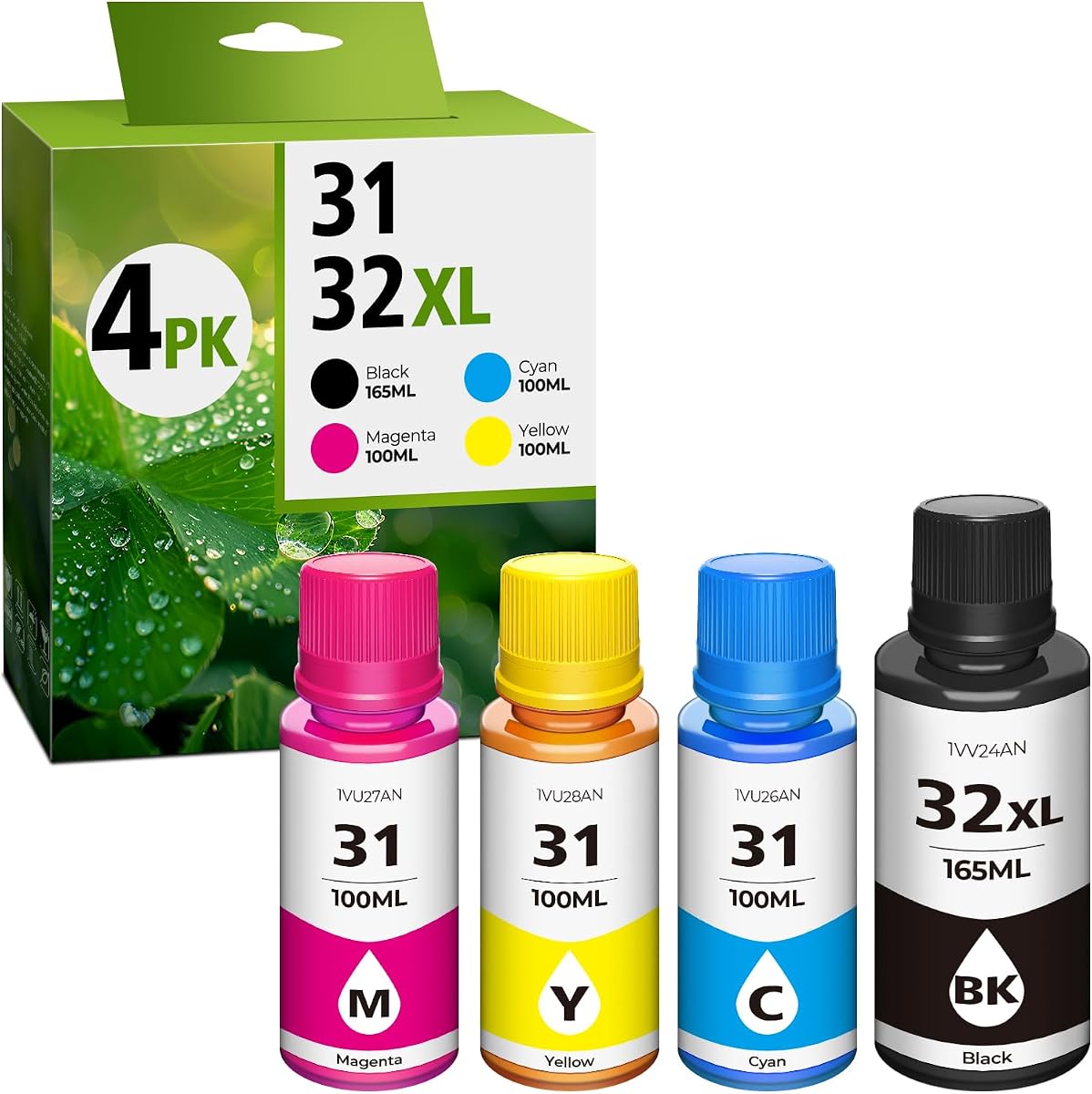
This third-party ink set provides a cost-effective alternative for HP Smart Tank owners needing extra volume. It works with multiple models and offers up to 9,500 pages per bottle.
We may earn a commission when you buy through this link, at no additional cost to you.
Users highlight the leak-resistant design and seamless refill experience. It allows for continued printing without the high cost of original manufacturer ink.
Keep in mind it uses dye ink, which may not suit pigment-specific needs. Still, it offers great value for general document printing tasks.
Opt for this if budget is a priority. It extends the life of your printer without compromising basic performance.
Bottles are engineered to minimize spills, ensuring a clean and safe refill process.
Large capacity reduces refill frequency, saving both time and money in the long run.
We may earn a commission when you buy through this link, at no additional cost to you.
Another HP Smart Tank model offering AI integration for streamlined setup and usage. It includes enough ink for three years, focusing on reliability for home environments.
We may earn a commission when you buy through this link, at no additional cost to you.
Its borderless printing supports creative projects, while wireless scanning simplifies document digitization. Users find the interface generally intuitive but sometimes limited by connectivity requirements.
Despite mixed reviews, the core performance is solid for average printing tasks. It remains a strong contender for those wanting AI-driven simplicity.
Choose this for automated features and volume. It handles daily printing needs with minimal technical intervention.
Automated processes reduce initial setup time and help avoid common configuration errors.
Supports printing to the edge of paper for professional-looking creative work.
We may earn a commission when you buy through this link, at no additional cost to you.
This renewed model offers significant savings while maintaining the high-speed features of the new ET-2903. It supports 15 pages per minute black printing with auto-duplex capabilities.
We may earn a commission when you buy through this link, at no additional cost to you.
Users report solid performance and reliability comparable to new units when handled correctly. It remains an excellent option for those willing to accept minor cosmetic imperfections.
While warranty terms differ from new products, the cost efficiency is compelling. It suits budget buyers seeking high-end specs at a reduced cost.
Select this for maximum value on a budget. It delivers professional-grade speed and ink capacity at a lower entry price.
Offers high-end features at a fraction of the cost of buying new hardware.
15 PPM black speeds ensure quick turnaround for daily document printing tasks.
We may earn a commission when you buy through this link, at no additional cost to you.
Selecting the right ink tank printer requires understanding your specific volume needs and feature preferences to avoid overspending or underselling your workspace.
Check how many pages the included ink can produce to estimate replacement frequency. Higher yields reduce long-term costs but may require more upfront storage for bottles.
Prioritize models with long-lasting reservoirs to minimize interruptions and maximize efficiency.
Look for PPM ratings that match your daily workflow requirements. Faster speeds are essential for busy environments needing quick document turnaround.
Ensure the resolution supports both text clarity and photo detail if you handle creative projects.
Wireless capabilities and mobile app support are critical for modern printing setups. Voice activation and cloud printing add further flexibility for remote access.
Choose models with robust app ecosystems for smoother integration with your devices.
Auto-duplex functions save paper and reduce manual effort during printing. While some budget models lack this, it is vital for eco-friendly offices.
Opt for auto-duplex if you print frequently to lower environmental impact and material costs.
Mess-free refill systems prevent spills and simplify maintenance significantly. Models with keyed bottles reduce mix-ups and ensure a cleaner process.
Select designs that prioritize ease of use to avoid frustrating refill procedures.
Consider physical dimensions to fit your desk or workspace comfortably. Compact models save space, while robust ones may offer longer lifespans under heavy use.
Balance form factor with durability requirements based on your specific environment.
Calculate total cost including upfront price and future ink costs. High initial investment often pays off over time with better long-term savings.
Focus on overall value rather than just the sticker price to ensure smart spending.
Ensure drivers and apps support your operating system. Good customer service helps resolve issues quickly without prolonged downtime.
Choose reputable brands with strong software support for seamless long-term usability.
Set up the printer on a flat surface and install the included ink bottles carefully. Allow time for the system to prime before printing to ensure consistent output quality.
Regularly clean the print heads and check ink levels to avoid dry-outs. Use genuine ink to maintain warranty coverage and optimal performance.
Schedule maintenance tasks weekly to keep the mechanism smooth. Keep firmware updated to benefit from security patches and feature improvements.
Not necessarily. While they have refillable tanks, they often include features like auto-cleaning to reduce manual effort. Regular checks ensure longevity without significant additional work.
Technically yes, but manufacturers recommend genuine ink to avoid damage. Using third-party options may void warranties and affect print quality over time.
Align the bottle key with the tank slot and let gravity drain the ink. Avoid squeezing bottles or shaking them to prevent spills.
Yes, they typically offer wide color gamuts and high resolution. Many include specific photo settings for professional-grade results.
The system pauses and alerts you via the screen or app. Refill and resume without losing your document queue or settings.
The tanks are built to last the printer's lifespan. They do not wear out like disposable cartridges, making them a cost-effective choice.
Our top picks include the Epson EcoTank ET-2803 for overall balance, the Canon MegaTank G3270 for budget savings, and the HP Smart Tank 5003 for premium features.
Focus on what matters most to you, whether it is speed, capacity, or ease of refilling. Align your choice with your specific workflow demands.
Always verify current pricing and availability before purchasing to ensure you get the best deal today. This guide aims to simplify your decision-making process.