
Digital Calendar 10.1" Touchscreen
4.4Editor score
No Subscription Required
Interactive Chore List
Smart Meal Manager
Finding the right digital chore chart helps families stay organized without paper clutter. Modern smart displays combine calendars and task lists to streamline daily routines for everyone.
We compared ten leading models based on screen quality, syncing capabilities, and ease of use. Our analysis highlights features that matter most for busy households today.
Each pick shows unique strengths like touchscreen size or reward systems. Note that availability and specific model features may change over time.
4.4Editor score

4.4Editor score

4.4Editor score
As an Amazon Associate we earn from qualifying purchases.
This side by side comparison reviews all ten top models to highlight their distinct capabilities for family organization and task tracking.
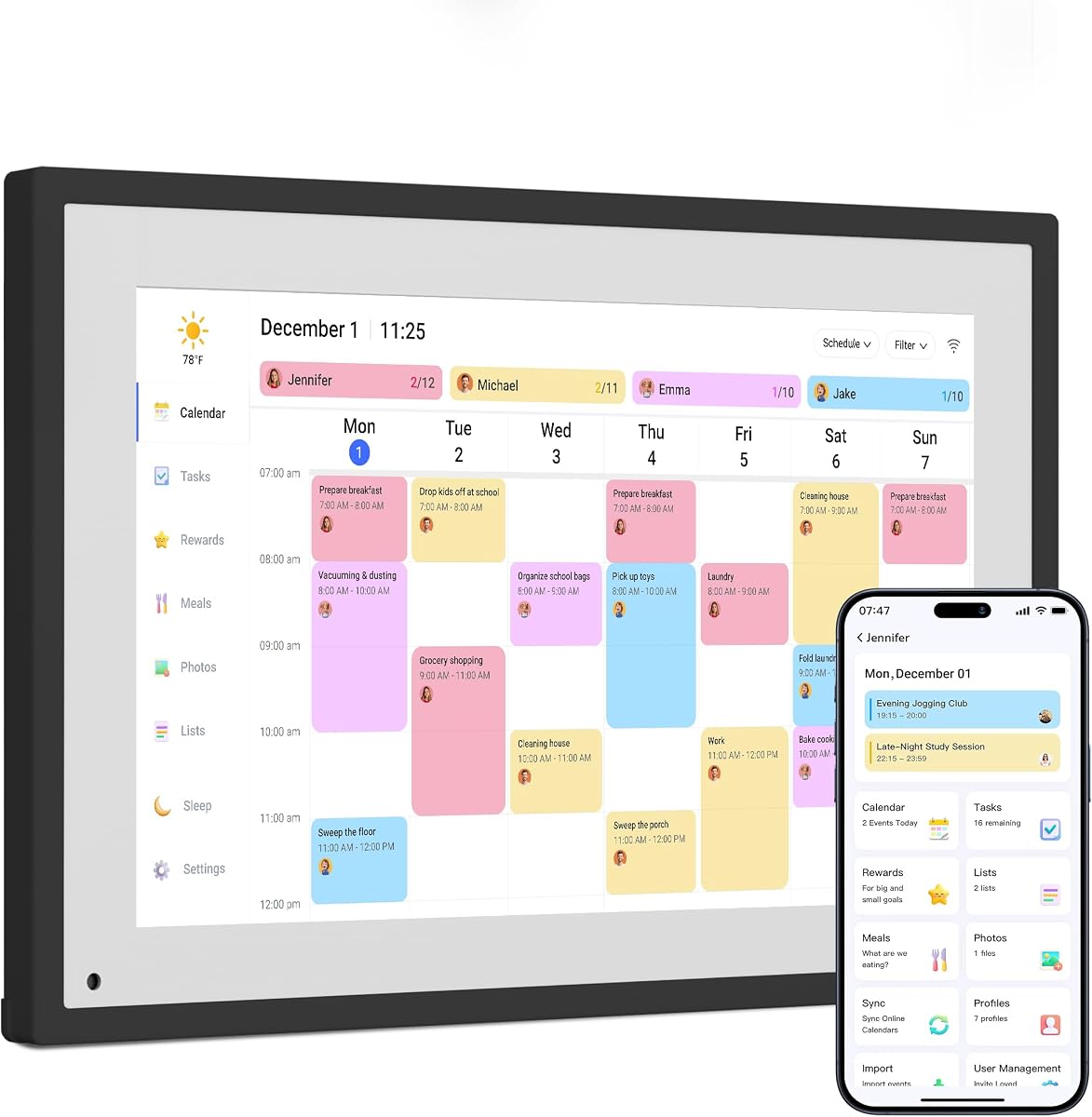




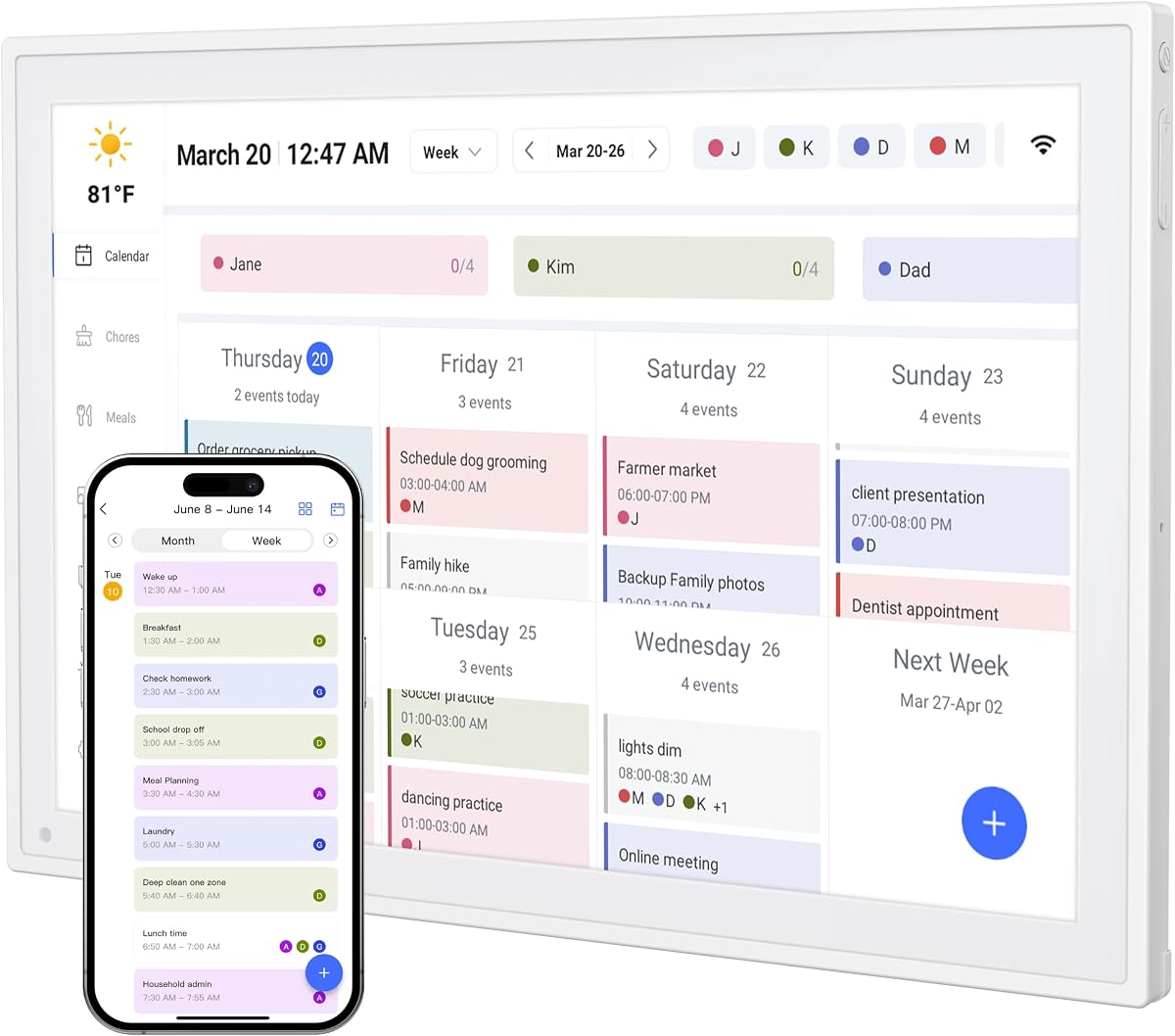

This model stands out as a comprehensive family command center with a large 15.6 inch screen. It holds a solid rating and combines scheduling with interactive task tracking. Its high resolution makes it easy to read from across a room.
We may earn a commission when you buy through this link, at no additional cost to you.
The device syncs in real time with major calendar platforms without requiring monthly subscriptions. Parents can assign chores and track progress on the touchscreen easily. The included mounting hardware allows for flexible placement on desks or walls.
Some users note that initial setup involves connecting to Wi-Fi and syncing accounts which takes a few minutes. It also requires external power for continuous use. These steps are minor compared to the convenience it offers.
This choice is ideal for families needing a central hub for all schedules and tasks. It balances size and functionality well to support daily routines effectively.
Syncs with Google and iCloud so every family member stays updated instantly.
Turns daily routines into fun gamified experiences with built in reward points.
We may earn a commission when you buy through this link, at no additional cost to you.
This smart frame organizes family schedules with a clear 10.1 inch touchscreen. It assigns different colors to tasks making it intuitive for all users. The device doubles as a beautiful digital picture frame when idle.
We may earn a commission when you buy through this link, at no additional cost to you.
Family members can see who is doing what at a glance. The interface is straightforward enough for kids to navigate alone. It transforms household planning into a visual and engaging activity.
It does not support wall mounting so placement is limited to flat surfaces. Storage is limited compared to larger models but sufficient for photos. These constraints fit standard countertop usage well.
Pick this for homes wanting a simple elegant solution on a desk. It brings order to busy routines without complex configurations or apps.
Assign colors to members so everyone tracks their own responsibilities clearly.
Displays family photos in HD to add warmth to any room.
We may earn a commission when you buy through this link, at no additional cost to you.
This planner offers easy setup and mobile app integration for quick access. It keeps housework organized and motivates members with interactive tools. A dinner planner helps eliminate daily questions about meals.
We may earn a commission when you buy through this link, at no additional cost to you.
Users can manage calendars from the go with a powerful app. Syncing with personal calendars like iOS and Google is seamless. This flexibility supports busy lifestyles well.
Some advanced tools like Magic Import require paid functions. The screen is smaller than wall models so visibility varies. Still it offers excellent value for desktop use.
Choose this for families who need remote access to schedules. It simplifies planning with smart features that adapt to your routine.
Access and manage your calendar on the go with a free companion app.
Display family dinner plans to eliminate the daily what is for dinner question.
We may earn a commission when you buy through this link, at no additional cost to you.
This smart calendar syncs with major platforms for perfect harmony. It includes meal planning and to do lists to simplify daily routines. The design fits well on kitchen counters or desks.
We may earn a commission when you buy through this link, at no additional cost to you.
Real time syncing ensures everyone sees updates instantly on the screen. Kids can check off tasks on the responsive touchscreen to build habits. The device transitions into a photo frame when idle.
Wall mounting is possible but may require extra care for safety. The interface takes a moment to master for new users. These are small trade offs for the organizational power.
Ideal for kitchens needing central planning and storage access. It keeps essentials within reach and supports family coordination effectively.
Map out your weekly menu and grocery needs in one central spot.
Kids check off completed tasks to build lasting habits and independence.
We may earn a commission when you buy through this link, at no additional cost to you.
Meet this premium hub built for busy families with a large touchscreen. It combines shared schedules with an interactive chore chart seamlessly. The display mounts easily to walls or sits on desks.
We may earn a commission when you buy through this link, at no additional cost to you.
Users can add updates directly on the device or via app. Features like Disney Mode bring animations and avatars for kids. It keeps daily schedules perfectly readable at a glance.
Some features like Magic Import require a premium subscription. The unit is larger so ensure you have wall or desk space. Despite this it remains a top choice for elegance.
Select this for homes wanting a stylish command center. It fits naturally into layouts and helps everyone stay organized.
Featuring 16 iconic characters to encourage family work together.
Displays weekly meal plans to reduce stress of what is for dinner.
We may earn a commission when you buy through this link, at no additional cost to you.
This digital calendar syncs Google iCloud and Outlook in real time. Every feature comes fully unlocked with zero hidden fees. It lets you assign tasks and monitor progress easily.
We may earn a commission when you buy through this link, at no additional cost to you.
Kids race to earn stars to unlock rewards for daily routines. A visual weekly meal manager displays menus beautifully. The device wakes automatically for reminders and weather updates.
Design is functional but less sleek than higher end models. Resolution is lower compared to premium screens. It offers great value for basic household organization needs.
Pick this for smart scheduling without ongoing costs. It helps build responsibility and keeps the home calmer and happier.
All smart organizer features are included with zero hidden fees.
Kids race to earn stars and unlock rewards for daily routines.
We may earn a commission when you buy through this link, at no additional cost to you.
This 15.6 inch touch integrated family schedule center syncs calendars via app. It features interactive star reward chore charts to build responsibility. Storage holds thousands of HD media files for memories.
We may earn a commission when you buy through this link, at no additional cost to you.
Personalize your wall calendar with widgets like weather and chore charts. Auto dimming brightness ensures comfort for day and night viewing. The system offers snappier response and optimized sync.
You must use the dedicated app to share photos or videos. Some users prefer built in native sync. These minor limitations balance out with robust performance.
Choose this for families needing space and customization. It caters to orderly living with reliable after sales support.
Built in 64GB large storage holds thousands of HD media files.
Personalize your digital wall calendar with drag-and-drop widgets.
We may earn a commission when you buy through this link, at no additional cost to you.
Keep your household organized with one powerful HD touchscreen. It combines shared calendars color coded schedules and task management. Get started in minutes with simple plug and play setup.
We may earn a commission when you buy through this link, at no additional cost to you.
Sync schedules instantly with Google iCloud and Outlook. Assign personalized colors to every family member. Track kids classes and extracurricular activities effortlessly.
The US style plug may not work internationally without adapter. The screen is smaller than 15 inch models. However it delivers high satisfaction with simple functionality.
Ideal for homes wanting quick easy organization. It helps everyone stay prepared and connected without fees.
Connect to Wi-Fi and instantly sync your schedules with major calendars.
Track kids classes and extracurricular activities effortlessly.
We may earn a commission when you buy through this link, at no additional cost to you.
Turn any counter into a command center with wide viewing angles. It supports color coded personal schedules for all members. Silent vibration alerts wake you for early appointments quietly.
We may earn a commission when you buy through this link, at no additional cost to you.
Plan weekly meals and save recipes in one place. Use portrait mode on a desk to extend productivity. The display remains readable day or night with auto brightness.
Wall mount is not needed but some prefer it. Rating is slightly lower but features remain solid. This model fits naturally into kitchen or desk spaces.
Choose this for quiet flexible organization. It helps run your kitchen and keeps routines consistent.
Built-in silent vibration motor wake you without disturbing your partner.
Plan weekly meals save family recipes and organize ingredients all in one place.
We may earn a commission when you buy through this link, at no additional cost to you.
Sync seamlessly with Apple Google calendars for color coded schedules. Display main course titles for each meal to reduce waste. Switch to photo frame mode to relive memories anytime.
We may earn a commission when you buy through this link, at no additional cost to you.
It serves as a family command center with free core functions. Customize sleep schedules to match routines. Fits perfectly as a functional desk calendar and decorative item.
Only shows menu titles not detailed recipes. Basic features suit simple household needs well. It is a thoughtful practical gift for Mom or Women.
Select this for stylish smart organization. It keeps the screen uncluttered and easy to read from distance.
Display Main Course for each meal to keep the screen uncluttered.
Enjoy all core functions daily routines tasks rewards meal plans free forever.
We may earn a commission when you buy through this link, at no additional cost to you.
Selecting the right digital chore chart requires evaluating screen size, syncing capabilities, and user interface design for your family.
Screen size dictates how much information you can view at once. A 10.1 inch screen works well for desks while 15.6 inch displays are ideal for wall mounting. High resolution ensures text remains readable from a distance.
Look for Full HD or better resolutions for clear visuals.
The ability to sync with existing calendars like Google or iCloud is crucial. Real time syncing prevents overlaps and missed appointments. Check if the device supports multi platform access.
Ensure the model syncs with your current calendar services seamlessly.
Interactive charts allow kids to check off tasks directly on screen. Reward systems like stars or points keep them motivated. Some models offer gamification elements for fun.
Choose a device that makes task tracking engaging and easy.
Storage matters if you plan to display many photos. Some units offer internal storage while others rely on cloud access. Expandable storage adds flexibility for large collections.
Pick a model with enough storage for your photo needs.
Many digital planners require monthly fees for full features. Look for models that offer core functions without recurring costs. Subscriptions can add up over time.
Opt for devices that provide value without mandatory fees.
Consider whether you need wall mounting or desk placement. Flexible mounting kits allow versatility. Stand included units save space on counters.
Verify mounting options fit your intended location.
Simple plug and play setup saves time during installation. Wi-Fi connection should be straightforward. Check if the device offers intuitive on-screen guides.
Select a model with quick and easy initial configuration.
Look for extras like meal planners or recipe keepers. These add value beyond basic scheduling. Some units act as photo frames when idle.
Prioritize features that match your household routines.
Set up your device by plugging it into a power source and connecting to Wi-Fi. Link your existing calendar accounts to start syncing events. Assign colors to each family member for clarity.
Encourage kids to interact with the touchscreen by checking off tasks daily. Use reward settings to track progress and motivate completion. Review schedules regularly to update plans.
Keep the screen clean with a soft cloth to avoid scratches. Update firmware when available for best performance. Adjust brightness settings for comfort day or night.
Some models include free core features without ongoing costs. Others may offer premium tools behind a subscription. Always check the specs before buying to avoid hidden fees.
Yes most devices support multiple users for edits. Family members can update tasks or events from their accounts. Changes sync in real time across connected devices.
Interactive screens make them great for children. Reward systems and colorful layouts encourage engagement. Parental controls allow safe access for younger users.
Local data remains on the device during outages. Sync may pause until connection returns. Some basic functions still work offline without internet.
Many models come with wall mounts for flexible placement. Desk stands are often included as alternatives. Check specifications for mounting kits before installation.
Upload photos via the companion app or app. Some support direct cloud uploads. Photos cycle as slideshows when idle.
Most models rely on continuous power. Some include batteries for short backup periods. Always verify power requirements before purchase.
Many allow basic third party integration. Check for supported calendars. Advanced app support varies by brand.
Our top picks highlight diverse options from premium displays to budget friendly units. The 15.6 inch model offers robust features while 10.1 inch units fit smaller spaces.
Prioritize syncing and interactive tasks to match your family's needs. Consider installation flexibility and subscription terms before finalizing your choice.
Review current availability and features before purchasing to ensure it meets your standards. These smart tools transform organization into a seamless daily habit.