
Arduino Uno REV3
4.8Editor score
Reliable ATmega328P Core
Standard Uno Form Factor
Compatible with Most Shields
Compare the top 10 Arduino Uno Q boards and kits for AI, robotics, and IoT projects. This guide reviews hybrid capabilities, pricing, and performance features.
The Arduino Uno Q represents a significant leap forward in single-board computing, blending classic microcontroller simplicity with modern processing power for AI and IoT applications.
We evaluated ten distinct products ranging from bare boards to comprehensive kits, focusing on hybrid processing capabilities, connectivity options, and ease of development for various project types.
Each pick highlights specific strengths like natural language control or rugged cases, while noting that prices fluctuate frequently so you should verify current costs before purchasing.
4.8Editor score

4.4Editor score
3.7Editor score
This side-by-side comparison details the specifications of all ten top-ranked Arduino Uno Q products to help you select the right hardware for your specific development needs.


The Arduino® UNO™ Q 4GB leads our list as the premier hybrid board offering unmatched performance for AI and advanced IoT projects. With a rating of 4.4, it stands out for its unique dual-brain architecture that combines a Qualcomm MPU with an STM32 MCU for both high-level processing and real-time control.
We may earn a commission when you buy through this link, at no additional cost to you.
This board unlocks powerful capabilities like running Debian OS, which allows for Python scripting and containerized AI models alongside traditional Arduino Sketches. It features 4GB RAM and 32GB eMMC storage, making it suitable for object recognition and voice command applications without needing external servers.
While it maintains the classic UNO form factor for shield compatibility, the switch from a simple microcontroller to a hybrid Linux-capable system introduces a steeper learning curve for beginners used to basic setups. However, for complex projects, the trade-off is well worth the added versatility and power.
Engineers and advanced makers building scalable robotics or smart home systems should prioritize this board. It is the definitive choice for anyone needing to bridge the gap between edge computing and traditional microcontroller development in a single cohesive platform.
The built-in AI acceleration capabilities allow for local processing of vision and sound tasks, reducing latency and bandwidth costs for smart devices.
Developers can mix Arduino Sketches with Python scripts and Linux tools in a single interface, streamlining the prototyping process significantly.
We may earn a commission when you buy through this link, at no additional cost to you.
This kit version of the Arduino UNO Q 4GB provides the exact same high-performance hybrid board as the standard model but includes a dedicated 45W USB-C power supply. This addition ensures stable and regulated power delivery during heavy workloads or when driving multiple peripherals like cameras or motors.
We may earn a commission when you buy through this link, at no additional cost to you.
Ideal for advanced projects, the board combines the Qualcomm MPU and STM32 MCU to deliver both real-time control and AI acceleration for robotics and automation. It comes with essential connectivity features like Wi-Fi 5 and Bluetooth 5.1, allowing seamless integration into IoT ecosystems right out of the box.
The main trade-off is that it does not include a full accessory kit like a case or cables, focusing purely on the board and power source. However, for developers who already have cables and just need reliable power for a headless server setup, this package is highly efficient.
If you are building scalable AI or industrial IoT systems, this option removes the guesswork from power selection. It is a practical choice for engineers who need a reliable core unit without spending extra on unnecessary accessories.
The 45W supply ensures consistent voltage even under peak load, protecting sensitive components from brownouts during intensive computing tasks.
With built-in connectivity and hybrid power, it is well-suited for mobile robots requiring local AI processing and wireless control.
We may earn a commission when you buy through this link, at no additional cost to you.
The GeeekPi Starter Kit is designed for those who want a complete out-of-the-box solution for developing with the Arduino UNO Q. It includes the official UNO Q with 2GB RAM and 16GB eMMC, housed in a rugged aluminum case that protects against dust and heat while ensuring efficient dissipation.
We may earn a commission when you buy through this link, at no additional cost to you.
This kit is versatile because it allows you to use the UNO Q as a standalone single-board computer with a monitor and keyboard or connect it to a PC via USB-C for a familiar Arduino experience. The included USB-C hub with an Ethernet port significantly expands connectivity options for professional applications.
While the 2GB RAM configuration is slightly less powerful than the 4GB version, it is sufficient for most embedded tasks and the inclusion of cables and power supplies saves significant setup time. The only downside is the extra bulk added by the case if you need a compact footprint.
Developers needing a professional-grade setup for embedded projects will find this kit invaluable. It provides all the necessary hardware to start coding and deploying applications immediately without sourcing individual components from multiple vendors.
The aluminum case protects the board from physical impacts and static electricity, making it ideal for portable or industrial environments.
With HDMI and Ethernet included, you can run the board as a full computer without needing a host PC for development.
We may earn a commission when you buy through this link, at no additional cost to you.
The Arduino Uno REV3 remains a gold standard for beginners and educational settings, offering a reliable ATmega328P microcontroller running at 16MHz. With a high rating of 4.8, it provides ample resources like 32KB flash and 14 digital I/O pins for basic to advanced electronics projects without the complexity of hybrid systems.
We may earn a commission when you buy through this link, at no additional cost to you.
Its full compatibility with the Arduino IDE ensures easy access to a vast array of libraries and community-driven projects. The built-in USB port allows for direct programming and serial communication, making it perfect for prototyping, robotics, and simple IoT projects where internet connectivity is not required on the board.
The main limitation is the lack of native Wi-Fi or advanced AI capabilities found in newer boards like the UNO Q. However, for most DIY and hobbyist needs, these features are unnecessary and the simpler architecture makes debugging much easier.
For students or hobbyists just starting their journey in electronics, this board is the best investment. It teaches fundamental concepts without overwhelming hardware specifications and serves as a solid foundation for future upgrades to more complex systems.
Decades of use have resulted in a massive library of tutorials and code examples that make learning electronics accessible for everyone.
Schools and coding clubs widely adopt this board for its stability and predictable performance in classroom environments.
We may earn a commission when you buy through this link, at no additional cost to you.
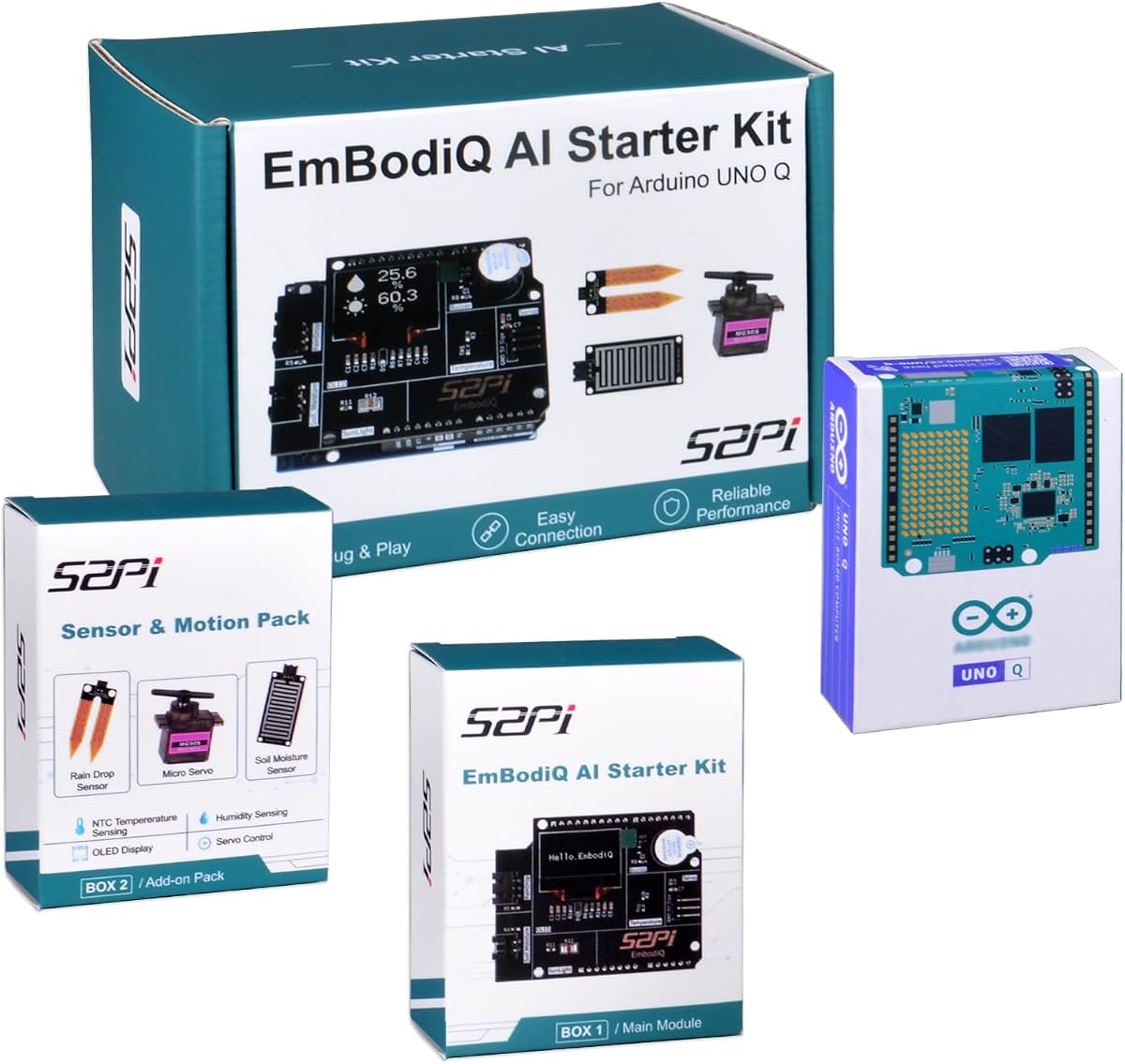
This unique kit leverages the power of the UNO Q to introduce natural language control for hardware devices. It includes an AI Agent HAT and sensors like soil moisture and raindrops, allowing you to control servos and displays simply by telling the AI what you want to do in plain English.
We may earn a commission when you buy through this link, at no additional cost to you.
Built around the UNO Q with 4GB RAM, it runs locally while supporting various AI providers like OpenAI or MiniMax via APIs. This dual-architecture ensures responsive performance by offloading heavy reasoning tasks to the cloud or edge models while keeping local hardware control precise and fast.
The complexity of integrating with AI models can lead to a lower user rating from those expecting plug-and-play simplicity, but it offers unmatched flexibility. The trade-off is that you must manage API keys and internet connections to get full value from the natural language features.
Educators and enthusiasts exploring the intersection of AI and physical computing will find this kit incredibly powerful. It democratizes access to advanced AI reasoning by making it easy to interact with hardware without writing complex traditional code.
By using natural language commands, even beginners can build complex smart projects without mastering programming syntax first.
The included sensor suite allows for immediate experimentation with environmental monitoring and automated gardening projects.
We may earn a commission when you buy through this link, at no additional cost to you.
The Arduino UNO R4 WiFi is a modern evolution that combines a Renesas microcontroller with an ESP32-S3 chip to deliver robust wireless capabilities. With a 4.7 rating, it is ideal for IoT projects requiring stable connectivity and real-time data processing without the complexity of a full Linux OS.
We may earn a commission when you buy through this link, at no additional cost to you.
It features comprehensive wireless support including Wi-Fi and Bluetooth 5.0, allowing easy connection to local networks and other devices. The integrated 12×8 LED matrix provides immediate visual feedback, making it perfect for status indicators or interactive user interfaces on the board itself.
While it lacks the high RAM and Linux capabilities of the UNO Q, it offers precise analog output through a 12-bit DAC and OP-AMP. This makes it better suited for audio projects or applications where analog signal control is more critical than heavy computation.
Developers focused on connected devices and smart home automation should choose this board for its balance of power and simplicity. It provides the connectivity features needed for modern IoT while maintaining the ease of use expected from the Arduino ecosystem.
The built-in LED matrix allows users to display dynamic messages and data directly on the board without external screens.
Support for CAN bus allows reliable communication in automotive or industrial systems where error-free data transfer is critical.
We may earn a commission when you buy through this link, at no additional cost to you.
For beginners focused on learning rather than specific hardware specs, this kit offers over 22 guided lessons to turn code into real-world results. It includes the UNO R3 controller and a vast array of components like ultrasonic sensors and stepper motors, perfect for family builds or STEM classroom use.
We may earn a commission when you buy through this link, at no additional cost to you.
The kit is organized to help learners focus on logic and code rather than sourcing parts. You can start without soldering using plug-in modules and breadboards, which simplifies wiring and testing for younger learners or first-time builders.
Although it uses the classic R3 board instead of the newer UNO Q, the educational value remains high. The trade-off is that you miss out on modern Wi-Fi features, but for learning electronics fundamentals, the R3 architecture is still highly effective and supported.
Parents and teachers looking for a comprehensive starting point will find this kit invaluable. It provides a structured path to understanding electronics and programming without requiring prior experience or specialized equipment.
The included tutorial guides you through each lesson, helping you understand the logic behind input and output before creating your own projects.
Access to a wide range of sensors and motors allows for diverse projects like weather stations and robots in a single purchase.
We may earn a commission when you buy through this link, at no additional cost to you.
This single board option provides a straightforward way to start coding with the familiar UNO R3 architecture. It features the reliable ATmega328P microcontroller and comes with a USB cable, allowing you to upload your first sketch and build simple projects immediately without extra purchases.
We may earn a commission when you buy through this link, at no additional cost to you.
The clear labeling and included USB cable make it accessible for beginners and experienced users alike. It serves as a practical controller for maker desks and classrooms where multiple boards might be needed for different students working on the same project.
While it lacks the features of the UNO Q, its simplicity and low cost make it a great backup or secondary board for testing ideas. The only downside is that it requires external components for any significant project since no sensors or accessories are included.
Hobbyists needing an additional board for testing or replacement will find this a reliable choice. It ensures you have a proven platform ready for action without the complexity or cost of more advanced systems.
Well-labeled headers simplify the connection to jumper wires and modules, reducing wiring errors during development.
Compatible with various shields allows you to add features like GPS or Wi-Fi as your project needs grow.
We may earn a commission when you buy through this link, at no additional cost to you.
This standard UNO R3 board offers a solid foundation for projects requiring reliable performance and broad compatibility. With the ATmega328P microcontroller and USB cable included, it allows for seamless connection to computers for programming and sketch uploading.
We may earn a commission when you buy through this link, at no additional cost to you.
It supports standard communication interfaces like UART and SPI, enabling connectivity with various peripherals and sensors. While it does not offer the advanced AI features of the UNO Q, it remains a viable choice for simple smart home devices or robotics prototypes.
The main limitation is its lack of specialized hardware, which requires you to source external modules for expanded functionality. However, its simplicity ensures compatibility with the vast library of existing code and shields in the Arduino ecosystem.
Hobbyists seeking a straightforward and reliable board for general DIY tasks should consider this option. It is an effective tool for bringing electronic ideas to life without unnecessary complexity or cost.
Full compatibility with the Arduino IDE ensures access to a vast library of code and resources for various applications.
The board is designed to handle a wide range of basic projects efficiently while remaining easy to use for all skill levels.
We may earn a commission when you buy through this link, at no additional cost to you.
This versatile UNO R3 board leverages the powerful ATmega328P microcontroller to support endless possibilities in electronics projects. It includes essential digital and analog I/O pins along with a USB cable for easy integration into your development environment.
We may earn a commission when you buy through this link, at no additional cost to you.
Its open-source design allows for customization while offering seamless integration with the broader Arduino ecosystem. It works well with Raspberry Pi systems, making it a useful companion for projects requiring both a host computer and microcontroller control.
The limitation is its reliance on external components for connectivity, as it lacks built-in wireless features. However, its broad compatibility ensures you can easily prototype ideas using established libraries and shields without compatibility concerns.
Users seeking a flexible and open-source board for prototyping will find this a valuable addition. It provides a reliable foundation for building innovative applications in robotics and home automation with ease.
Seamless integration with the Arduino ecosystem provides access to a vast library of code and resources.
It supports a wide range of input voltages ensuring reliable performance in various power configurations.
We may earn a commission when you buy through this link, at no additional cost to you.
Selecting the right board involves balancing processing power with specific project requirements and budget constraints.
Decide between the high-performance hybrid dual-brain system of the UNO Q or the simpler classic architecture of the R3 depending on your computing needs.
Choose hybrid boards for AI and Linux tasks but stick to classic ones for simple logic control.
Ensure the board has sufficient RAM and storage to handle your specific workload without performance bottlenecks or memory errors.
Prioritize 4GB RAM and high storage for complex models but lower specs suffice for basic tasks.
Evaluate if your project requires native Wi-Fi and Bluetooth or if it can rely on wired connections for stability and speed.
Select boards with wireless chips if your device must be mobile or remote for proper operation.
Check if you need to run a full Linux distribution to run advanced scripts or if a microcontroller environment is enough for your task.
Opt for Debian support if you plan to use Python or Docker containers in your workflow.
Decide whether you prefer a complete kit with all necessary accessories or just the board to assemble your own components from scratch.
Choose kits for convenience but bare boards if you want to customize every part of your build.
Consider whether your project requires a protective case to shield the board from dust and physical damage during operation.
Prioritize boards sold with aluminum cases if your device will be in a rugged environment.
Determine if you need advanced features like natural language control or standard coding inputs for interacting with your hardware.
Select AI Agent kits for voice commands but standard boards for precise programmatic control.
Verify that the power supply included matches the board's voltage requirements to ensure stable operation under all loads.
Always check for regulated power supplies when using high-performance boards.
Connect the USB-C cable to your computer to begin initial setup and install the required IDE tools for development.
Ensure the board is properly powered using a regulated supply to prevent damage during heavy computing workloads.
Store the board in a dry place with a case if possible to protect it from static electricity and physical shocks.
Yes, the UNO Q supports standard Arduino Sketches alongside Python scripts and Linux applications. The STM32 MCU handles real-time tasks while the Qualcomm MPU manages higher-level computing functions.
While it is powerful, the hybrid nature requires some knowledge of Linux or Python alongside standard Arduino. Beginners might find the classic R3 simpler but the Q offers better long-term growth.
The UNO Q runs Debian Linux and has more RAM for complex AI tasks, whereas the R4 WiFi focuses on wireless IoT connectivity with a simpler embedded OS.
It is highly recommended to use the included or a regulated power adapter. The board can draw significant power when running complex tasks so USB alone might not be enough.
Yes, the UNO Q maintains the classic UNO form factor allowing compatibility with many standard shields for expanded connectivity.
Yes, it includes dedicated AI acceleration hardware to run local vision and voice recognition models efficiently without relying on the cloud.
We found that the Arduino® UNO™ Q 4GB offers the best balance of advanced AI features and standard compatibility for most developers.
Prioritize hybrid processing power if you need local machine learning capabilities but stick to classic options for simple control tasks.
Always verify current pricing on Amazon before purchasing as availability and costs can fluctuate frequently for hardware items.