
ProElife 2-Pack Anti Glare Screen Protector
4.6Editor score
Anti Glare Filter
5H Hardness
Easy Installation
Compare the top 10 MacBook Neo Screen Protector options for 2026 including privacy matte and glass films designed for the new A18 Pro chip model.
Protecting your new MacBook Neo display is essential for maintaining visual clarity and preventing costly scratches. A quality screen protector shields against daily wear while preserving the Retina display quality you expect from Apple hardware.
We analyzed ten highly rated options specifically designed for the 2026 MacBook Neo with the A18 Pro chip. Our comparison covers privacy filters matte finishes and crystal clear glass to help you find the perfect match for your workflow.
Each pick below highlights key features installation ease and user feedback to guide your decision. Prices and availability change frequently so verify current listings before purchasing to ensure you get the best value for your device.
4.6Editor score

4.2Editor score

4.5Editor score
This side-by-side comparison highlights the key specifications and unique selling points of each protector to help you quickly identify the best fit for your specific needs and budget.


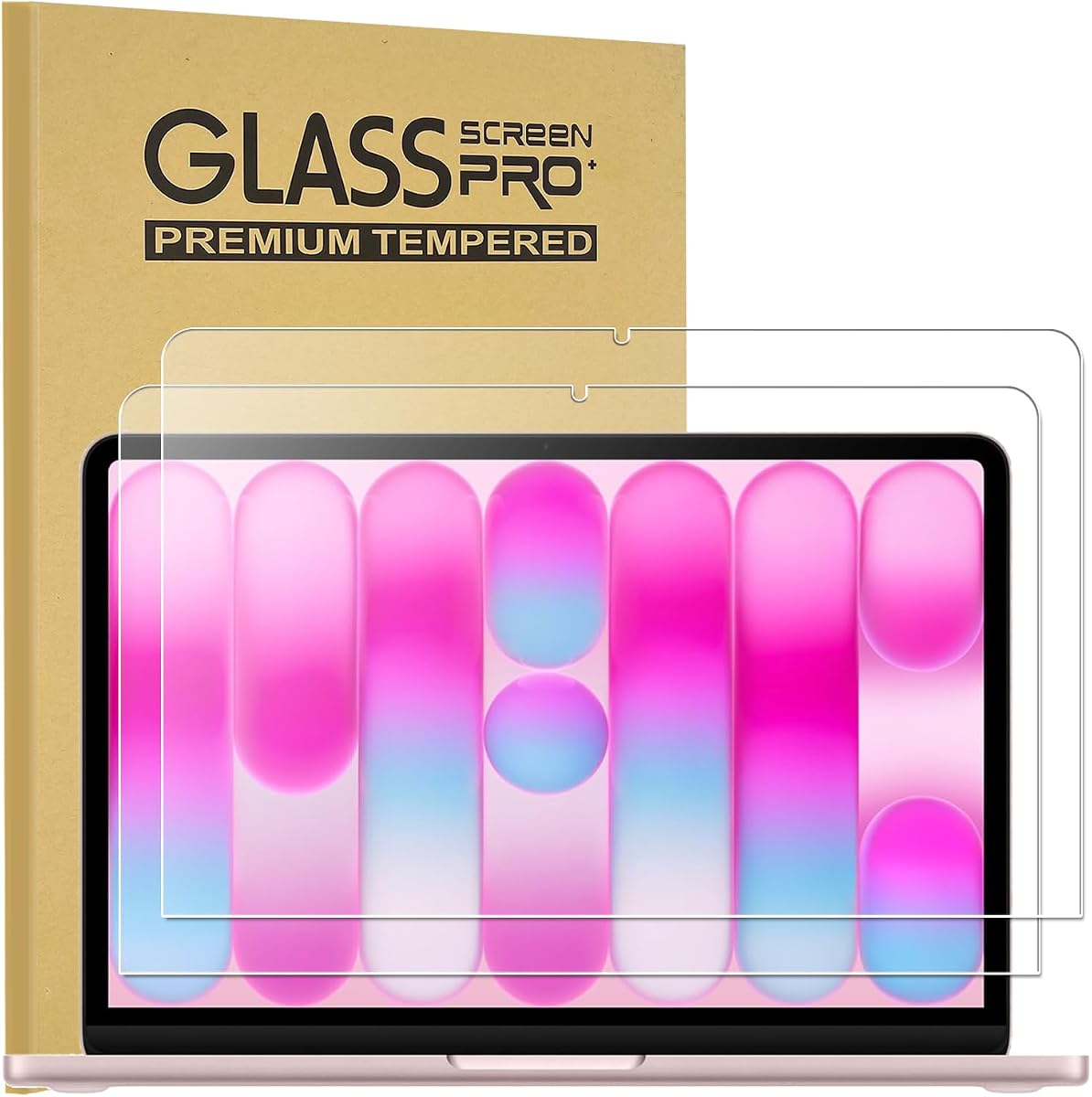
The ProCase 2 Pack Screen Protector stands out as a top choice for users seeking robust protection without compromising display quality. With a 4.2 rating from verified buyers it delivers the durability you expect from premium glass.
We may earn a commission when you buy through this link, at no additional cost to you.
This protector features 9H hardness to resist scratches from keys and daily wear while maintaining high light transmittance for crisp text and vivid colors. The laser-cut dimensions ensure edge-to-edge coverage without interfering with sensors or the hinge.
While the tempered glass adds a bit of thickness compared to PET films it offers superior scratch resistance. The static-cling adhesive layer makes installation straightforward by automatically pushing out air bubbles for a smooth finish.
If you prioritize screen longevity and optical clarity this is the ideal pick. It is perfect for daily users who want a clear view and reliable protection from accidental scratches throughout the life of your MacBook Neo.
The 9H hardness rating ensures your screen stays free from key scratches and daily wear marks even after months of use.
High light transmittance preserves the Retina display quality so your visuals look just as stunning as when you first unboxed the device.
We may earn a commission when you buy through this link, at no additional cost to you.
The ProElife 2-Pack Anti Glare Screen Protector offers excellent value for users who need eye comfort and scratch resistance on a budget. Its 4.6 rating reflects strong satisfaction with its matte finish and glare reduction capabilities.
We may earn a commission when you buy through this link, at no additional cost to you.
This film reduces glare and reflections to enhance contrast and reduce eye strain during long work sessions. The low surface energy component helps prevent fingerprints and smudges keeping your screen clean and clear with minimal effort.
While the 5H hardness is lower than tempered glass it still protects against daily scratches. Some users report tiny bubbles that settle within 48 hours but the included hard card helps smooth them out for a flawless look.
Choose this if you work in bright environments and want a matte finish without spending much. It is a practical choice for students and professionals who need reliable eye protection and screen safety.
The anti-glare filter cuts down on harsh reflections making it easier to see your screen clearly under bright office lights or near windows.
The anti-fingerprint coating means your screen stays clean longer so you spend less time wiping it down during your daily workflow.
We may earn a commission when you buy through this link, at no additional cost to you.
Supershieldz provides a reliable clear shield using high-quality Japanese PET film that balances protection and clarity. With a 4.3 rating it is praised for maintaining real touch sensitivity and offering a full 3-pack supply.
We may earn a commission when you buy through this link, at no additional cost to you.
The high-definition transparency film ensures maximum resolution so your content looks sharp and vibrant. It protects against scratches and dust while remaining thin enough not to interfere with your laptop lid closure.
While it lacks the rigidity of glass its flexibility makes it easy to apply without tools. When you are ready to replace it the film removes without leaving any sticky residue behind your display.
This is a smart buy for those who prefer a lightweight option and want extra replacements for future needs. It works well for users who prioritize clarity and touch responsiveness over heavy-duty scratch resistance.
The film is engineered to support natural touch feel so you can interact with your display smoothly without any lag or friction.
When you want to switch protectors you can peel this off cleanly without leaving adhesive marks that might require extra cleaning.
We may earn a commission when you buy through this link, at no additional cost to you.
KEANBOLL offers a matte screen protector that focuses on reducing glare and fingerprints for a cleaner viewing experience. Its 4.2 rating indicates reliable performance for users who prefer a non-reflective surface on their Neo display.
We may earn a commission when you buy through this link, at no additional cost to you.
The anti-glare coating effectively cuts down on reflections so you can focus on your work without squinting. The durable material guards against scratches and scuffs ensuring your screen stays looking good over time.
This protector uses an anti-fingerprint coating to keep smudges at bay making it easier to maintain a clean look. The matte finish also softens text slightly which can be more comfortable for long writing sessions.
Pick this if you want a multi-pack option with a matte finish at an affordable price. It suits users who prioritize comfort and cleanliness over ultra-sharp transparency and need a simple solution.
The coating keeps smudges from sticking to the screen so it stays clearer and cleaner throughout your workday without frequent wiping.
By reducing reflections you get better visibility even in bright areas allowing you to work comfortably without adjusting your position.
We may earn a commission when you buy through this link, at no additional cost to you.
This magnetic privacy screen offers a convenient way to protect sensitive data without permanent adhesives. With a 4.2 rating it appeals to travelers and office workers who need quick access to privacy on the go.
We may earn a commission when you buy through this link, at no additional cost to you.
The strong magnetic attachment enables one-second installation and removal preserving the original anti-reflective coating of your MacBook Neo. The 30-degree privacy filter ensures only you see the screen content from the front.
It also includes anti-blue light and anti-glare technology to reduce eye strain during long sessions. The ultra-thin profile fits most cases but note it may prevent the lid from closing completely while attached.
Choose this for sensitive work where privacy is a priority. It is ideal for frequent travelers or consultants who need to toggle privacy quickly without damaging their device with permanent films.
Magnetic strips allow you to snap the screen on and off instantly so you can switch between private and public modes without hassle.
The anti-blue light coating helps reduce visual discomfort and headaches so you can work longer without feeling tired.
We may earn a commission when you buy through this link, at no additional cost to you.
Halloive offers a magnetic privacy screen that filters side views effectively to protect sensitive data. Rated 4.0 it is designed for professionals working in shared spaces who need extra security on their MacBook Neo.
We may earn a commission when you buy through this link, at no additional cost to you.
The multi-layered privacy filter limits viewing angles to plus or minus 30 degrees so prying eyes see a black screen. It also features anti-glare and anti-blue light coatings to protect your eyes and reduce strain.
Note that the finish may soften screen sharpness slightly and does not block visibility directly behind you. However the included storage folder and cleaning kit make it easy to carry and maintain when traveling.
This is a practical choice for commuters and public workers who need secure viewing. It balances privacy with eye comfort while offering removable convenience for flexible daily use scenarios.
Side views are blocked effectively ensuring your confidential work stays private even in crowded spaces like airplanes or train rides.
The included storage folder keeps the protector safe and clean in your bag so it is ready whenever you need privacy on the go.
We may earn a commission when you buy through this link, at no additional cost to you.
Peslv provides a privacy screen with a focus on high-definition clarity and eye protection. With a 4.2 rating it stands out for its advanced materials and magnetic mounting system that simplifies daily privacy switching.
We may earn a commission when you buy through this link, at no additional cost to you.
The magnetic strip on the top bezel allows you to attach or remove the filter in seconds. Its high light transmission rate ensures you still enjoy vivid visuals while blocking unwanted side views effectively.
Imported Japanese materials offer a high-quality filter layer that reduces blue light and UV exposure significantly. The anti-scratch layer adds durability so the privacy screen itself remains clear over time.
This is a premium choice for users who refuse to compromise on image quality. If you need top-tier privacy without sacrificing sharpness or eye comfort this model delivers on both fronts.
The advanced material keeps light transmission high so your photos and videos still look vibrant even when privacy mode is active.
Reinforced magnets hold the screen firmly in place during use so it stays aligned and secure while you work or travel.
We may earn a commission when you buy through this link, at no additional cost to you.
IPROKKO focuses on eye comfort with a blue light filter that blocks harmful rays without dimming your display. Rated 4.2 it is praised for retaining true color accuracy and offering a nano-silicone installation experience.
We may earn a commission when you buy through this link, at no additional cost to you.
Unlike older filters this tech blocks harmful light while keeping screens bright and accurate. The Japanese PET film is ultra-slim at 0.05mm so it does not interfere with closing your laptop or using a case.
The adhesive layer pushes out bubbles automatically so you get a smooth application without extra tools. Instructions and video guides are provided to help you achieve a clean and precise fit every time.
This is ideal for long-hour users sensitive to eye strain or sleep disruption. It balances eye health with visual quality so you can work comfortably without losing the vibrant experience you expect from your device.
The filter keeps colors true to original so you can trust your visuals for tasks like photo editing or video playback.
Nano-silicone adhesive pushes air out automatically as you apply so you get a clean finish without manual bubble smoothing.
We may earn a commission when you buy through this link, at no additional cost to you.
KEANBOLL provides a tempered glass option that balances durability and clarity with a strong 4.4 rating. It offers 9H hardness to resist daily wear while maintaining ultra clarity for a natural viewing experience.
We may earn a commission when you buy through this link, at no additional cost to you.
The ultra-tough surface ensures long-lasting protection against scratches and impacts so your screen stays pristine. Its 2-pack design offers better value and allows you to swap out the protector when needed.
Installation is designed to be bubble-free so you get a smooth finish easily. The glass adds minimal thickness so it fits your laptop lid without issues but lacks the anti-glare properties of matte films.
This is best for users prioritizing scratch resistance and optical clarity. If you want a durable shield that keeps your display looking sharp and new this glass option is a reliable investment.
Tempered glass handles minor impacts better than PET so you can use your device confidently without worrying about accidental damage.
The high transparency keeps your display vibrant so every pixel looks sharp and colors remain accurate while you work.
We may earn a commission when you buy through this link, at no additional cost to you.
SightPro delivers a top-tier magnetic privacy screen with high customer satisfaction at 4.5. It features patented snap-on magnetic attachment for instant setup and a high-layered filter that blocks side views while maintaining clarity.
We may earn a commission when you buy through this link, at no additional cost to you.
The advanced film filters out harmful UV and blue light to protect eyes while keeping the front view crystal clear. Its anti-glare properties improve visibility in bright environments making it ideal for varied workspaces.
Although it prevents the lid from closing completely the sleep mode still works. The US-based support team ensures reliable help if you encounter issues so you can trust the quality behind this shield.
This is a premium pick for enterprises and travelers who need proven privacy and support. It combines security with eye protection and convenience for professionals who demand the best for their MacBook Neo.
Snap-on magnets make installation and removal so fast you can toggle privacy in seconds before meetings or public work.
The filter reduces harmful UV and blue light so your eyes stay comfortable even after long hours in front of the screen.
We may earn a commission when you buy through this link, at no additional cost to you.
Choosing the right protector depends on your specific workflow and priorities. This guide breaks down the key factors to consider before you buy.
Screen protectors come in tempered glass or PET film. Glass offers superior scratch resistance and rigidity while PET films are thinner and often include matte finishes for glare reduction. Glass is better for durability while PET suits users who prefer a lighter feel.
Decide if you want maximum scratch protection or a slim anti-glare option based on your daily usage environment.
If you work in public spaces a privacy screen with a side-view filter may be essential. These screens darken views beyond a set angle to keep your data safe from prying eyes. However they can slightly reduce overall brightness and sharpness.
Prioritize privacy filters if you handle sensitive data regularly and choose clear films for optimal visual fidelity.
Protectors with blue light filters help reduce eye strain and improve sleep quality for long hours of use. Look for options that balance UV and blue light blocking without dimming the screen or altering colors too much.
If you work late often or have sensitive eyes a dedicated blue light protector is worth the investment.
Adhesive protectors offer a permanent fit while magnetic ones allow quick removal. Adhesive films need careful handling to avoid bubbles whereas magnetic screens can be removed and cleaned easily.
Choose magnetic if you frequently travel or change settings and adhesive if you want a fixed permanent shield.
Thicker glass protectors may prevent laptop lids from closing if you use a case. PET films and ultra-thin glass options ensure your laptop stays closed properly while still providing protection.
Check your case compatibility and lid clearance to ensure the protector does not interfere with normal laptop function.
Some kits include multiple protectors wipes and tools which adds value. A multi-pack ensures you have spares for replacements or backup use which is helpful for long-term protection.
Look for bundles that include cleaning tools to make the initial setup easier and more effective.
Reputable brands often offer better quality control and after-sales support. Check reviews for real-world durability and customer service responsiveness before making a purchase decision.
Choose brands with strong support policies to ensure help is available if you face installation or fit issues.
Start by cleaning your display thoroughly with the included microfiber cloth and wipes to remove dust and oils. Ensure the screen is completely dry before applying the protector to avoid trapped particles.
Align the protector carefully with the top bezel or camera cutout before pressing down. Use a card or soft edge to push out air bubbles from the center outward for a smooth finish.
Clean the protector regularly with a soft microfiber cloth to maintain clarity. Avoid harsh chemicals or abrasive materials that could scratch the coating or reduce visibility over time.
High-quality protectors like those reviewed above are designed to maintain the original display quality. HD clear films offer 100% transparency while matte films may soften text slightly to reduce glare without major quality loss.
Most ultra-thin protectors fit well with standard cases. However thicker glass or privacy filters may prevent the lid from closing if your case is snug so always check compatibility before purchase.
Use a soft card to gently push bubbles from the center to the edges. Most bubbles settle within 48 hours. If they persist check for dust under the film and reapply if needed.
Privacy screens block side views within a specific range like plus or minus 30 degrees. They do not block views directly behind you so position your device carefully in public spaces.
Yes all listed protectors are specifically designed for the 2026 MacBook Neo 13-inch with model A3404 and the A18 Pro chip. Always verify the model number before ordering to ensure a perfect fit.
Replace the protector if it gets heavily scratched or starts to peel. With daily use a quality protector can last for years but frequent handling may require swaps to maintain clarity.
Tempered glass offers better scratch resistance and durability while PET films are thinner and often include anti-glare features. Choose based on whether you prioritize protection or a slim matte finish.
Yes with the included tools and a clean environment you can apply protectors safely. Follow instructions slowly and use static-cling or magnetic options to simplify the process without risk.
Choosing the right protector depends on whether you prioritize clarity durability or privacy. The ProCase glass shield leads for scratch resistance while ProElife offers best budget glare reduction.
For privacy professionals the SightPro magnetic filter delivers strong security and eye comfort. Always match your choice to your typical work environment and device handling habits.
Prices and stock change frequently so double-check current listings before buying. Verify your model number to ensure the perfect fit for your 2026 MacBook Neo display.