
ASUS Vivobook Laptop Business Computer 2025-2026
4.1Editor score
24GB RAM and 1TB Storage
10-Core Intel i5 Processor
Windows 11 Pro Included
Finding the right ASUS Business Laptop means balancing power, security, and portability for modern work. Professionals need reliable machines that handle multitasking, video calls, and data protection without slowing down daily operations.
We evaluated ten current models based on processor speed, memory capacity, display quality, and enterprise features like TPM security and military-grade durability. This list covers diverse needs from budget friendly options to premium OLED displays.
Each pick highlights key strengths, real world performance traits, and ideal use cases. Prices and availability can shift quickly so check current listings before deciding. Use this guide to match specs with your specific business requirements.
4.1Editor score

5.0Editor score

4.5Editor score
As an Amazon Associate we earn from qualifying purchases.
The following table provides a side-by-side view of ten ASUS Business Laptop models. Compare processors, memory, storage, display types, and special features to find the machine that aligns with your professional demands.



The ASUS Vivobook 2025-2026 offers a compelling package for small business users needing reliable performance without a high price tag. With a 4.1 star rating, this model is praised for its generous 24GB RAM and versatile storage configuration.
We may earn a commission when you buy through this link, at no additional cost to you.
The 10-Core Intel i5-1334U processor handles everyday productivity tasks with ease. Users benefit from a 512GB NVMe SSD for speed plus a 500GB external drive for backups. Windows 11 Pro adds essential security features for business environments.
While the 60Hz refresh rate is standard, the 14" FHD display delivers clear visuals. The privacy shield is a practical touch for remote meetings. However, the external drive adds a slight bulk when traveling.
This laptop is ideal for professionals managing multiple browser tabs and Office apps. It balances cost and capability effectively. Choose it if you need immediate access to Office tools and solid multitasking power.
Windows 11 Pro includes BitLocker encryption and hardware-based isolation to safeguard sensitive business data during remote work.
The included 6-in-1 USB-C docking hub supports HDMI, USB 3.0, and card readers for seamless peripheral integration.
We may earn a commission when you buy through this link, at no additional cost to you.
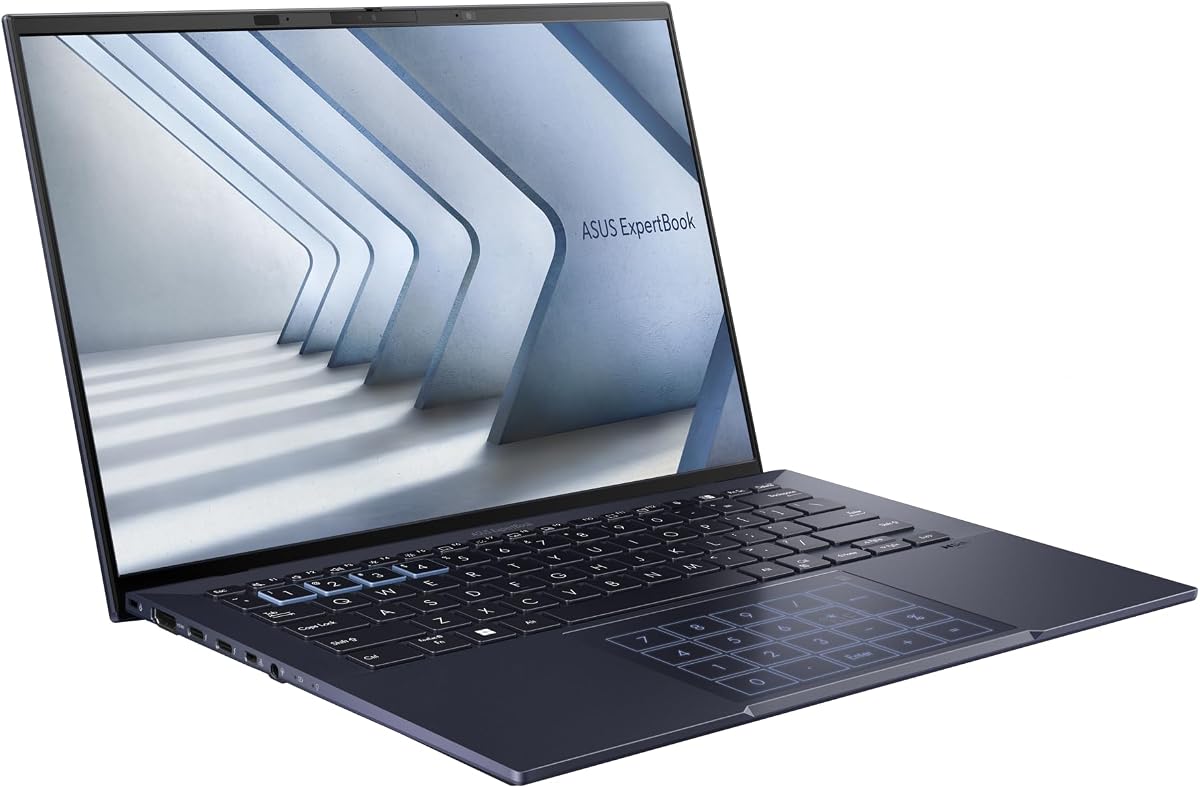
The ASUS ExpertBook B3 stands out with AI-powered features designed to optimize office workflows. It holds a strong reputation for reliability in professional settings. The combination of 32GB RAM and 2TB SSD ensures ample space and speed for heavy workloads.
We may earn a commission when you buy through this link, at no additional cost to you.
Powered by the Intel Core Ultra 5 225H, this laptop leverages an NPU for efficient AI tasks like conference optimization. The 16-inch anti-glare display reduces eye strain during long sessions. Security features include TPM 2.0 and Secured-core PC support.
While expensive, the durability and eco-friendly build justify the cost for enterprise deployments. The spill-resistant keyboard is practical for busy offices. A smart card reader is excluded which may limit some security protocols.
Select this model for demanding business environments requiring advanced security and storage. Its AI capabilities set it apart. It is best suited for executives or teams needing robust performance and extensive file storage.
Intel AI Boost NPU handles AI-for-work workloads and supports ExpertMeet for intelligent conference optimization.
Constructed with over 25% total PCR recycled plastic materials to meet modern eco-friendly sustainability goals.
We may earn a commission when you buy through this link, at no additional cost to you.
The ASUS ExpertBook B9 OLED is celebrated as the world's lightest 14-inch business laptop. Its 5.0 rating highlights exceptional build quality and user satisfaction. Weighing just 2.18 lbs, it is perfect for frequent travelers.
We may earn a commission when you buy through this link, at no additional cost to you.
The OLED display delivers vibrant colors and deep blacks for presentations and media consumption. An Intel Core 7 processor ensures snappy performance for daily tasks. The dedicated Copilot key encourages AI exploration without complex navigation.
Storage is limited to 512GB which might require cloud solutions. However, the energy-efficient OLED panel helps balance battery life. Sustainability features make it an ethical choice for green initiatives.
Ideal for business users prioritizing portability and screen quality. The premium feel matches its price tag. Choose this for high-end business travel or creative professional work requiring color accuracy.
The OLED screen offers rich color depth and contrast ideal for reviewing design files or business charts.
At 2.18 lbs, this device fits easily into carry-ons reducing physical strain during commutes.
We may earn a commission when you buy through this link, at no additional cost to you.
The ASUS ExpertBook B1 is designed for consistent enterprise performance. It maintains stable temperatures under prolonged use thanks to ExpertCool technology. This model suits office environments where reliability is paramount.
We may earn a commission when you buy through this link, at no additional cost to you.
It features a full set of I/O ports including dual USB-C and RJ45 Ethernet. This removes the need for dongles. The 32GB RAM supports heavy multitasking. Windows 11 Pro ensures compatibility with business software.
The 15.6-inch display provides comfortable viewing for spreadsheets. However, the weight is higher than ultrabooks. Fingerprint reader adds convenience but may not be available on all regional variants.
This laptop fits IT managers needing standardized hardware. The durability is a major plus. Buy it for office desks or field work requiring multiple peripheral connections.
ExpertCool technology prevents overheating during long business operation cycles to protect device longevity.
It retains full I/O ports like HDMI and RJ45 for direct connection to external monitors and networks.
We may earn a commission when you buy through this link, at no additional cost to you.
This ASUS ExpertBook model combines a high-resolution OLED display with lightweight design. The 2.8K panel provides crisp visuals. Users appreciate the 180-degree hinge for flexible positioning during meetings.
We may earn a commission when you buy through this link, at no additional cost to you.
Performance is driven by the Intel Core i7-1355U. It manages daily office apps efficiently. The magnesium-lithium alloy chassis adds durability without significant weight. Military Grade 810H certification ensures robustness.
The non-touch limitation is acceptable for business productivity. Battery usage may increase with high-resolution content. Still, the visual clarity is worth it for graphic reviews or detailed spreadsheets.
Best for users prioritizing display quality. Its professional look fits corporate settings. Select this for roles requiring precise visual work and reliable mobility.
The 2.8K OLED display delivers sharp text and vivid colors for enhanced professional presentation quality.
Military Grade 810H durability ensures the laptop withstands shock and pressure in busy environments.
We may earn a commission when you buy through this link, at no additional cost to you.
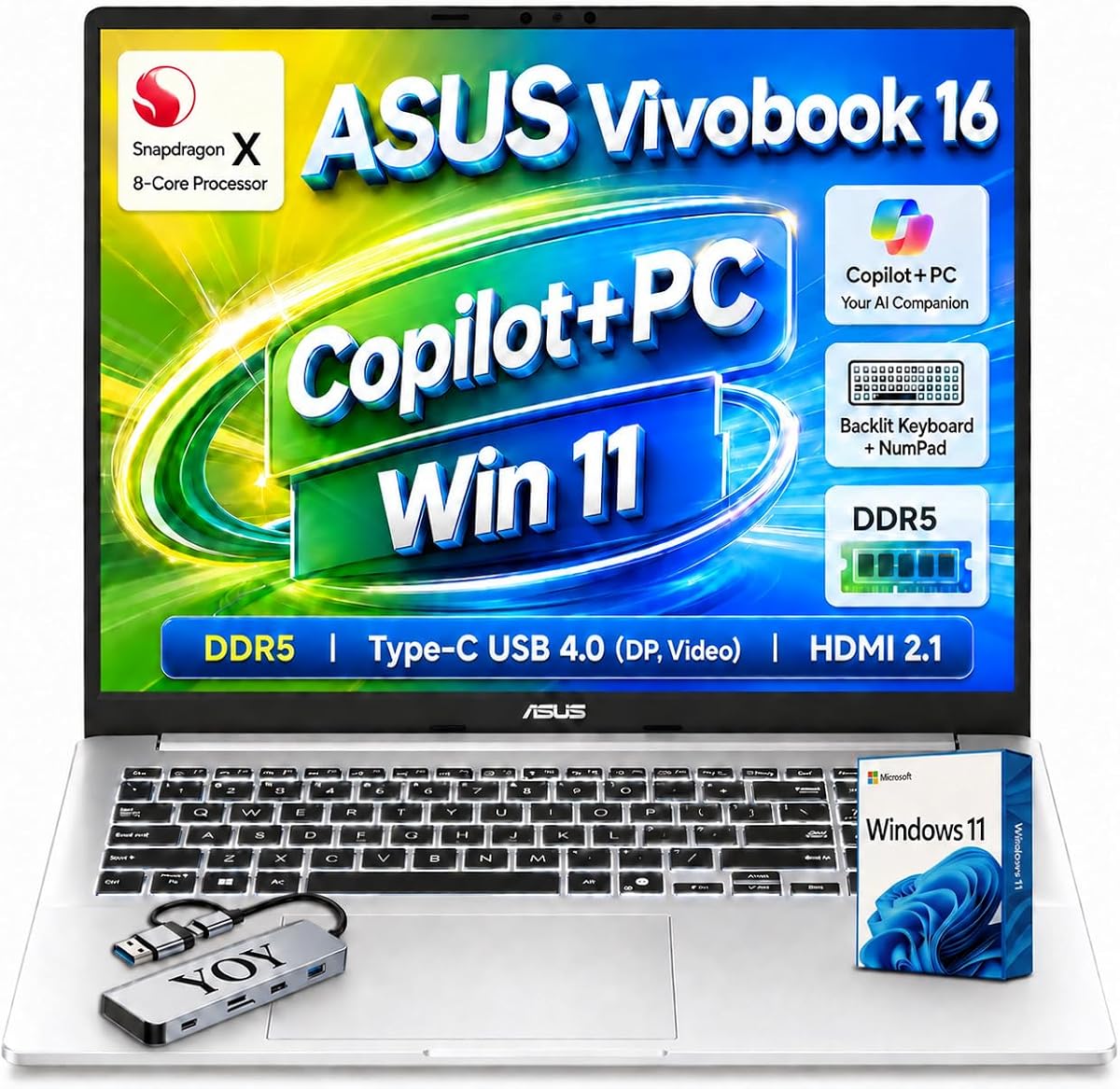
The ASUS Vivobook 16 leverages the Snapdragon X AI architecture for efficient computing. It is rated as a Copilot+ PC offering next-gen AI capabilities. The Hexagon NPU accelerates compatible workloads effectively.
We may earn a commission when you buy through this link, at no additional cost to you.
Users get 16GB LPDDR5X RAM for responsive multitasking. The 16-inch WUXGA display provides a spacious workspace. USB4 ports support multiple monitors and fast data transfers. Windows Hello ensures quick secure login.
As a newer platform, app compatibility is generally good but should be verified. The chassis is slim at 0.70 inches. It balances modern features with practical design elements.
This model suits forward-looking businesses wanting AI tools. It is great for mobile professionals. Choose it if you want future-ready hardware with strong battery efficiency potential.
Qualcomm Hexagon NPU delivers up to 45 TOPS for compatible AI workloads improving system intelligence.
Two USB4 ports support display and power delivery for flexible external monitor setups.
We may earn a commission when you buy through this link, at no additional cost to you.
This Vivobook model boasts a high 4.8 rating indicating strong user satisfaction. It is built for daily productivity with a 13th Gen i7 processor. The inclusion of an external drive helps expand storage instantly.
We may earn a commission when you buy through this link, at no additional cost to you.
The 16-inch display offers ample vertical space for documents. Windows 11 Pro ensures secure operations. SonicMaster tuning enhances audio clarity for calls. The bundle includes a docking hub for added versatility.
External drive connectivity means extra cables on the desk. It is a minor trade-off for added storage. The battery and keyboard support all-day work comfortably.
Best for small teams needing ready-to-go office bundles. It simplifies setup. Select this for educational or commercial enterprise tasks requiring immediate productivity.
The bundle includes Microsoft Office Professional Plus with a lifetime license for continuous access to core apps.
SonicMaster tuned speakers ensure immersive sound for media and clear audio during professional calls.
We may earn a commission when you buy through this link, at no additional cost to you.
This Vivobook variant uses the Ryzen 7 7730U for balanced performance. It has a perfect 5.0 rating in some contexts. The 16GB RAM configuration supports demanding applications smoothly. Users value the included portable USB hub.
We may earn a commission when you buy through this link, at no additional cost to you.
The 16-inch IPS display provides wide viewing angles. Backlit keyboard allows use in dim conditions. Fingerprint sensor adds a layer of security. The chassis is designed for easy portability.
The seal opening for upgrades is transparent. It ensures performance enhancement without voiding warranty. However, the battery is smaller compared to larger cells.
Suitable for students or home offices. It offers great value. Choose it for general computing needs with a focus on screen size and storage.
Zen 3 Gen Ryzen 7 7730U delivers strong multi-threading performance for multitasking workflows.
Includes an authorized USB hub for fast data sync rates up to 5Gbps.
We may earn a commission when you buy through this link, at no additional cost to you.
This variant offers similar specs to the previous model with slight differences in configuration. It is priced for budget-conscious buyers. The 16GB DDR4 RAM allows for smooth operation of business apps.
We may earn a commission when you buy through this link, at no additional cost to you.
The 16-inch WUXGA display supports detailed work. Connectivity includes HDMI and USB-C for external peripherals. A portable USB hub is included to expand data sync capabilities.
User ratings suggest mixed experiences possibly due to upgrades. The warranty is managed by a third party. It is a solid option if verified for condition.
Best for individual users or startups. It balances cost and capability. Select this for basic business tasks without needing premium support.
Provides a budget-friendly entry into modern business computing with essential upgrades.
Features HDMI and USB 3.2 Type-C for connecting to displays and storage devices.
We may earn a commission when you buy through this link, at no additional cost to you.
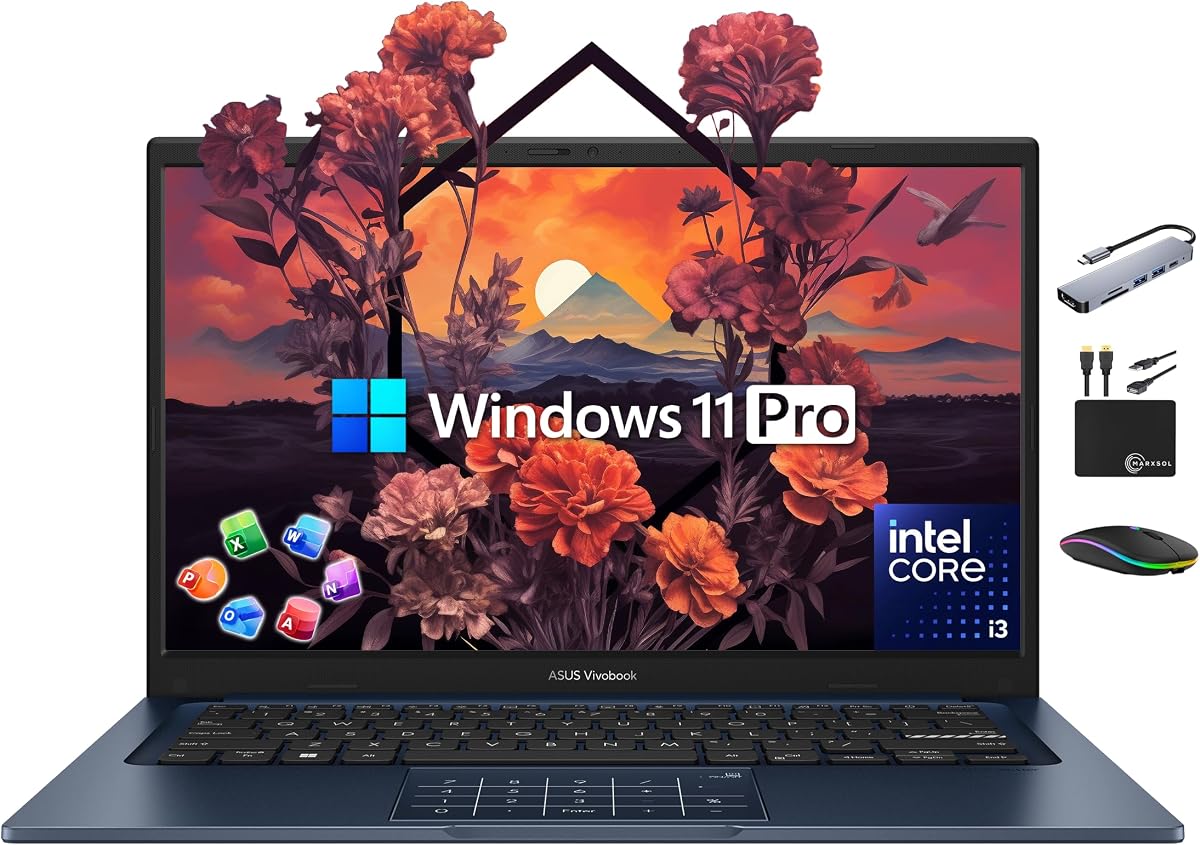
This 2025 Vivobook is an entry-level business machine with unexpected strengths. It includes 24GB RAM which is rare for an i3 CPU. This allows for multiple apps running simultaneously.
We may earn a commission when you buy through this link, at no additional cost to you.
The 14-inch FHD display is slim and portable. Windows 11 Pro secures data effectively. It comes with Office 2024 lifetime license. This reduces ongoing software costs.
The processor handles basic tasks but not heavy video editing. The 11 drive is useful for archives but adds weight. Privacy shield ensures secure web conferencing.
Ideal for students or administrative staff. It balances essential business features with portability. Choose this for light business use and remote learning.
Includes free Microsoft Office Professional Plus 2024 with lifetime license for continuous professional use.
The 14-inch chassis is slim and light making it easy to carry between workspaces.
We may earn a commission when you buy through this link, at no additional cost to you.
Choosing the right ASUS Business Laptop involves analyzing your daily tasks and long-term goals. This guide highlights key factors to consider before making a purchase.
The processor determines how quickly your laptop handles tasks. For business users, Intel Core i5 or i7 models provide smooth performance for multitasking. AI-enhanced processors improve efficiency for modern workflows.
RAM allows you to run multiple applications without slowdown. Aim for at least 16GB of DDR5 or DDR4 RAM. Higher capacities like 32GB are beneficial for data analysis or virtual machines.
Solid State Drives significantly reduce boot times and file access speeds. Look for NVMe SSDs in the 512GB or 1TB range. External storage options can supplement internal capacity if needed.
A good screen reduces eye strain during long work sessions. OLED panels offer superior contrast while IPS panels provide wide viewing angles. Resolution and brightness also impact visibility in bright offices.
Ensure the laptop has the ports you need such as USB-C and HDMI. Wireless capabilities like Wi-Fi 6E support stable internet connections. Ethernet ports are useful for secure network access.
Business laptops need robust security to protect sensitive data. TPM chips and fingerprint readers help prevent unauthorized access. Privacy shutters on webcams add an extra layer of physical security.
Travel and daily handling require a sturdy build. MIL-STD certification indicates resistance to shock and environmental conditions. A spill-resistant keyboard can protect against accidental liquid damage.
Windows 11 Pro provides essential tools for business management and security. It supports encryption and group policies which are vital for enterprise environments. Verify the license status before purchasing.
Keep your ASUS Business Laptop in a protective sleeve during travel to prevent scratches. Regularly update drivers through the official ASUS support portal to maintain performance.
Use the built-in privacy shutter when not in video calls to ensure security. Clean the screen with a microfiber cloth and avoid harsh chemicals.
Maintain battery health by using official chargers and avoiding extreme temperatures. Regularly restart the device to apply system updates and clear temporary files.
Models with OLED displays like the ExpertBook B9 offer excellent color accuracy suitable for design. Standard IPS displays work for general business charts. Check if the specific model has a dedicated GPU for heavy editing.
Battery life varies by usage and model. Most Vivobook models offer 6 to 8 hours. Premium ExpertBook models with efficient processors may last longer. Always verify usage conditions for accurate estimates.
Some models have soldered RAM which cannot be upgraded. Others allow adding memory modules. Check the specific product manual before purchase to confirm upgrade possibilities.
Some bundles include a lifetime license for Microsoft Office Professional Plus. Standard units usually come with Windows but require separate Office purchases. Check product details carefully before buying.
Business laptops are not waterproof. Some feature spill-resistant keyboards to handle minor liquid accidents. Always keep drinks away from the device to avoid damage.
Yes most models have USB-C ports that support docking. Some bundles include hubs for extra connectivity. Ensure the port supports power delivery if you want to charge while docked.
The ASUS Business Laptop lineup offers diverse options for every professional need. Whether you need portability or massive storage there is a model designed for your workflow.
Prioritize processors and security features when shopping. Ensure your choice matches your daily tasks and mobility requirements.
Prices fluctuate often so verify current listings before finalizing. Use this guide to find the perfect balance of performance and value.