
Moread 4K DisplayPort to HDMI Adapter
4.6Editor score
Supports 4K at 30Hz output
Gold plated connectors resist corrosion
Includes five year warranty coverage
This guide compares the best HDMI output to input adapter for laptop users seeking reliable video connectivity for presentations gaming home theater and dual
Finding the right HDMI output to input adapter for laptop connections is essential for modern professionals and creatives who need seamless video streaming capabilities. Whether you are presenting slides to a conference room or gaming on a large screen, the correct adapter ensures crisp visuals and stable audio transmission without lag.
We evaluated ten top-rated adapters based on build quality, signal stability, resolution support, and ease of use. Our analysis covers USB-C to HDMI, DisplayPort to HDMI, and specialized converters to help you match the right tool to your specific laptop ports and display requirements effectively.
Each pick below highlights key features, pros, and cons to guide your decision-making process. Prices and availability change frequently, so always verify current stock and specifications on the product page before completing your purchase to ensure you get the best value for your needs.
4.6Editor score

4.6Editor score

4.7Editor score
The following table provides a side by side comparison of all ten selected adapters. Each entry lists core specifications such as supported resolution, connector type, and unique features to help you quickly identify the right model for your laptop and display setup.





The Anker USB C to HDMI Adapter stands out as a top choice for laptop users needing reliable video output. With a 4.6 rating from thousands of users, it delivers crisp 4K visuals at 60Hz, making it ideal for presentations and media consumption. Its compact design and robust construction ensure it withstands daily wear while maintaining consistent performance over time.
We may earn a commission when you buy through this link, at no additional cost to you.
Key strengths include its ability to support USB4 and Thunderbolt connections, ensuring broad compatibility with modern laptops. The aluminum casing not only looks premium but also aids in heat dissipation during prolonged use. The braided nylon cable adds durability, reducing the risk of fraying or damage from frequent plugging and unplugging sessions.
While it lacks Power Delivery support, which means you cannot charge your laptop through this adapter, the trade-off is acceptable for users who prioritize video quality and build. The plug and play feature eliminates setup hassles, allowing instant connection to any TV or monitor with an HDMI port without additional configuration.
This adapter is perfect for professionals and students who need a dependable solution for connecting laptops to displays. Whether you are sharing slides in a meeting or streaming movies at home, the Anker adapter provides the clarity and stability required. It remains a safe and effective investment for anyone seeking high performance from their USB-C port.
For those needing extended reach, this adapter works well with standard HDMI cables. You can place your laptop anywhere while connecting to a distant display. The lack of charging support is mitigated by using the laptop's native power port, ensuring uninterrupted operation during long work sessions or entertainment periods.
Supports 4K resolution at 60Hz for smooth motion and detailed visuals on compatible displays.
Features an aluminum casing and braided cable for long-lasting use and heat management.
We may earn a commission when you buy through this link, at no additional cost to you.
The Moread 4K DisplayPort to HDMI Adapter offers exceptional value for users with DisplayPort equipped laptops. Rated 4.6 by customers, it supports resolutions up to 4K at 30Hz and 1080p at 120Hz, providing flexibility for various display needs. Its compact design makes it easy to carry in a laptop bag for presentations or travel.
We may earn a commission when you buy through this link, at no additional cost to you.
Durability is a key focus with gold plated connectors that resist oxidation and ensure stable signal transmission over time. The DisplayPort connector features locking latches that prevent accidental disconnection, which is vital during critical presentations or gaming sessions. This mechanical stability is often missing in cheaper adapters.
Audio performance is strong, supporting uncompressed digital 7.1, 5.1, or 2 audio channels for a surround sound experience. While it does not support charging, it focuses purely on video and audio output. The five year warranty reflects confidence in its build quality and long term reliability for daily use.
This adapter is an excellent choice for users on a budget who still want high quality video output. It works well with PCs from major brands like Dell, HP, and Lenovo. The passive design means no external power is needed, simplifying setup for home or office environments.
For gaming and media viewing, the 1080p high refresh rate support ensures smooth gameplay. Users should note that 4K is capped at 30Hz, which is fine for movies but might feel less smooth for competitive gaming. Overall, it balances cost and performance effectively for standard laptop connectivity tasks.
DisplayPort connector includes latches for a locked connection that resists accidental unplugging.
Backed by a five year unconditional warranty for peace of mind and customer support.
We may earn a commission when you buy through this link, at no additional cost to you.
This Mini HDMI to HDMI Adapter represents the top tier of video connectivity technology. With a 4.7 rating, it supports HDMI 2.1 standards including 8K at 60Hz and high refresh rates like 4K at 144Hz. It is perfect for advanced users connecting high end laptops or cameras to modern displays for cutting edge performance.
We may earn a commission when you buy through this link, at no additional cost to you.
The aluminum alloy housing provides robust heat dissipation and physical protection. Gold plated connectors ensure minimal signal loss and resistance to corrosion. The package includes two adapters, offering great value and convenience for setups with multiple devices or backup needs. The compact design fits easily into camera bags or pockets.
While it is designed for Mini HDMI ports found on devices like Raspberry Pi Zero or specific laptops, it delivers lag free visuals crucial for gaming or professional content creation. The build quality is tested to withstand thousands of plug and unplug cycles, ensuring reliability over years of use.
This adapter is ideal for enthusiasts who demand the highest possible resolution and refresh rates. It works seamlessly with high definition gaming consoles and media players. Users must confirm their device has a Mini HDMI port, not Micro HDMI, to ensure compatibility before purchase.
For home theater setups, this adapter unlocks the full potential of 8K TVs. The high bandwidth ensures smooth data transfer without stuttering. Although the price is higher than standard options, the performance and durability justify the cost for those who need premium video quality and long term stability in their workflow.
Delivers 8K at 60Hz and high refresh rates for next generation visual experiences.
Aluminum housing and gold plated connectors ensure longevity and signal integrity.
We may earn a commission when you buy through this link, at no additional cost to you.
The Highwings USB C to HDMI Adapter is a solid choice for home office setups requiring reliable video output. Rated 4.5, it supports 4K at 60Hz and maintains compatibility with older HDMI screens. The braided nylon jacket and gold plated connectors ensure durability and consistent performance during daily use in professional environments.
We may earn a commission when you buy through this link, at no additional cost to you.
Plug and play functionality makes setup effortless without needing drivers. You can extend your reach with existing HDMI cables to place your laptop anywhere. The flexible strain relief protects the cable from damage at the connection point, a common failure point in less durable adapters.
Users should check device specs to ensure their USB-C port supports video output before purchasing. The adapter does not support charging, so a separate power source is needed for prolonged use. However, the focus on video transmission quality ensures smooth streaming and presentation capabilities for users.
This adapter is well suited for travelers and remote workers who need a dependable connection on the go. Its compatibility with phones and tablets adds versatility for mobile presentations. The chip may warm up during high resolution transmission which is normal, indicating active processing.
For general office work and media streaming, the 4K performance is excellent. The twenty four month warranty provides peace of mind against early defects. It is a cost effective solution for those who prioritize video quality and cable durability over additional features like charging support.
Braided nylon and strain relief protect the cable from wear and tear.
Works with laptops, phones, and tablets that support USB video output.
We may earn a commission when you buy through this link, at no additional cost to you.
The Anker HDMI Switch offers a practical way to connect multiple devices to a single display. Rated 4.4, it supports 4K at 60Hz and allows seamless transitions between sources like a laptop and game console with a single button press. It simplifies your setup by reducing cable clutter on your desk or entertainment center.
We may earn a commission when you buy through this link, at no additional cost to you.
Manual switching is supported, giving users direct control over which signal is active. Automatic detection is not available, so you must press the button to switch. The design is compact and fits easily behind monitors or TVs. This is useful for home offices or living rooms where multiple media sources are common.
Compatibility is broad, working with laptops, consoles, and VR headsets. The switch does not support HDMI CEC but ensures stable signal transmission for standard media. It supports one display at a time, making it ideal for scenarios where you do not need simultaneous output.
This device is perfect for users who want to switch between work and play without unplugging cables. The build quality matches Anker standards with reliable internal components. It is a cost effective way to expand your display inputs without buying a new monitor with multiple ports.
For gamers and streamers, the 4K support ensures high fidelity visuals. While it lacks auto switching, the button mechanism is tactile and responsive. The switch provides a convenient solution for integrating a laptop into a home theater system or using multiple PCs on one screen effectively.
Manual button switching provides quick and easy transitions between connected devices.
Delivers 4K at 60Hz for clear video across compatible displays and devices.
We may earn a commission when you buy through this link, at no additional cost to you.
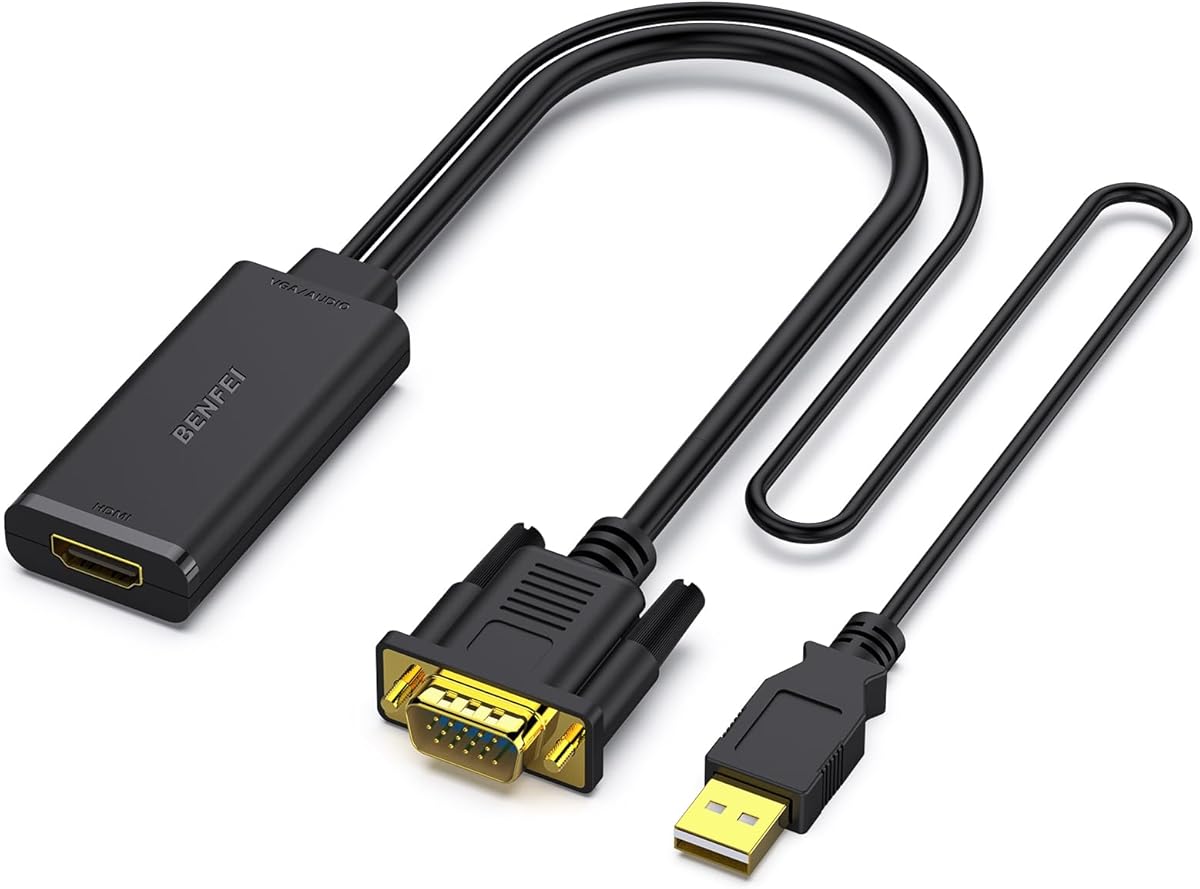
The BENFEI VGA to HDMI Adapter is essential for connecting older laptops or projectors to modern displays. Rated 4.5, it converts analog VGA signals to digital HDMI output with audio support via a USB cable. This ensures both video and audio are transmitted to your display without needing extra speakers.
We may earn a commission when you buy through this link, at no additional cost to you.
The advanced IC chip handles the conversion efficiently, though quality depends on the source signal. It supports up to 1080p resolution for clear visuals on HDTVs and monitors. The compact design allows you to carry it in a bag for presentations using legacy hardware in conference rooms.
USB audio support is a key feature that routes sound through the HDMI connection seamlessly. It is not bi-directional, meaning it only converts VGA to HDMI. Users must ensure their monitor has an HDMI port for this adapter to work correctly. The setup is simple with no drivers required.
This adapter is a lifesaver for those with older equipment that lacks modern ports. It extends the life of existing hardware by enabling connection to new screens. The build quality is reliable with a focus on portability and ease of use in professional settings.
For presentations and home use, the 1080p output is sufficient for most tasks. The audio cable ensures you do not need separate sound systems. While not suitable for high fidelity 4K, it delivers the best possible quality from legacy VGA sources at an affordable price point.
Converts VGA analog signals to digital HDMI for modern display compatibility.
Embedded USB cable transmits audio along with video to the connected display.
We may earn a commission when you buy through this link, at no additional cost to you.
The USB C to HDMI Multiport Adapter expands a single USB-C port into multiple outputs. Rated 4.4, it offers HDMI 4K at 30Hz, a PD charging port, and a USB-A 3.0 port. This makes it a versatile hub for laptops with limited ports, allowing simultaneous video and data access.
We may earn a commission when you buy through this link, at no additional cost to you.
Charging support is a major benefit as it allows you to power your laptop while using the adapter. The HDMI output provides clear video for presentations or streaming. The aluminum body helps with heat dissipation, ensuring stable performance during extended use without overheating.
Data transfer speeds reach up to 5Gbps via the USB-A port, allowing quick file transfers. You can connect keyboards, mice, and drives alongside your display. The hub is lightweight and portable, fitting easily into a bag for travel or commuting to work and meetings.
This adapter is ideal for professionals who need a complete connectivity solution. It reduces the need for separate dongles and simplifies your workspace. The combination of video, data, and power in one device makes it a practical investment for daily workflow efficiency and productivity.
Users should note the 30Hz limit at 4K is suitable for static content and movies. For high refresh gaming, 1080p is better. The compatibility with MacBook and Windows laptops is broad, but checking specific model support is recommended. It balances features and performance well.
Expands USB-C port into HDMI, USB-A, and PD charging ports simultaneously.
Supports charging your laptop while using video and data connections together.
We may earn a commission when you buy through this link, at no additional cost to you.
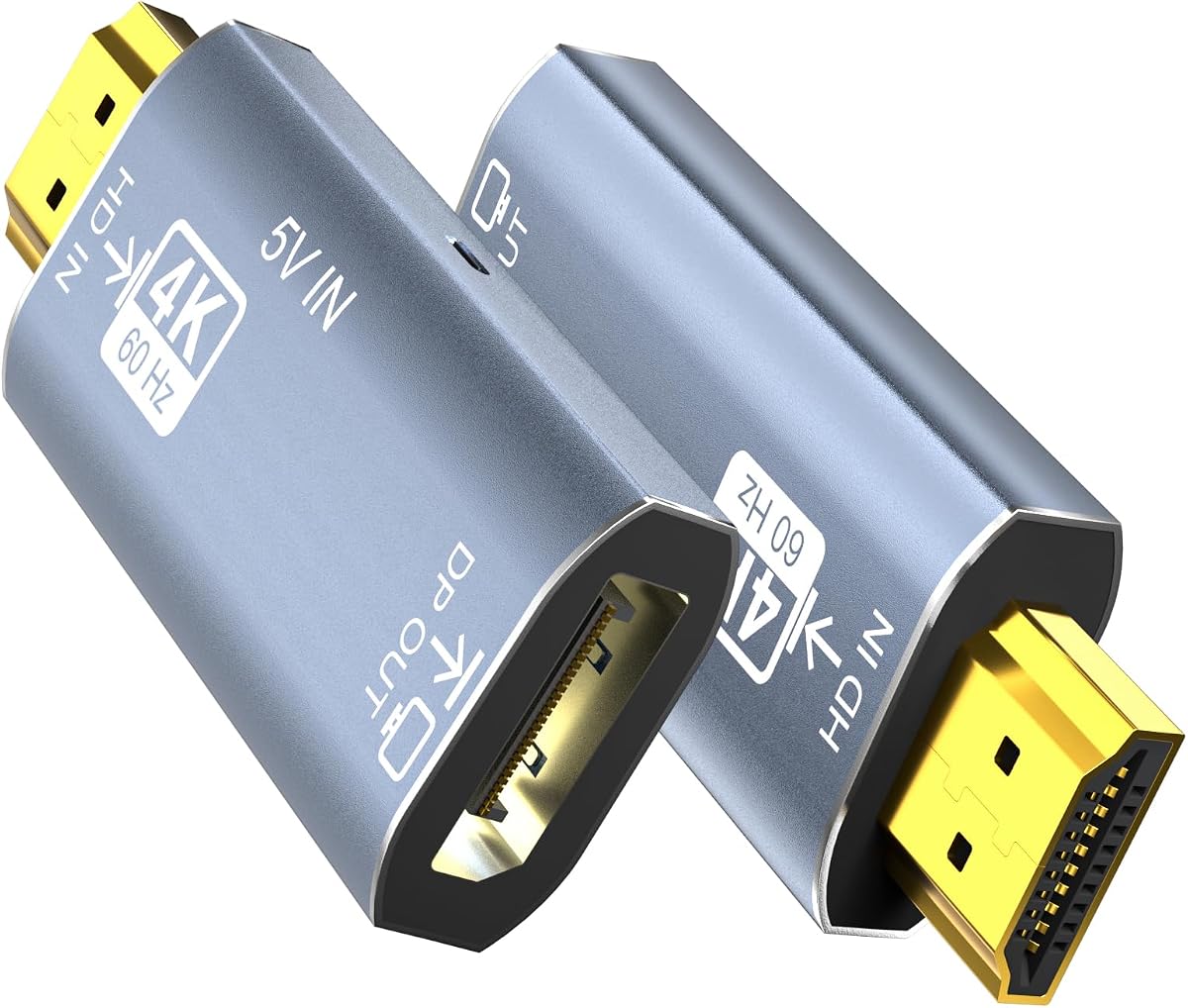
The BENFEI HDMI to DisplayPort Adapter solves the problem of connecting HDMI sources to DisplayPort monitors. Rated 4.3, it converts HDMI signals to DP allowing use with devices like consoles and laptops. It supports 4K at 60Hz and high refresh rates making it suitable for gaming and content creation.
We may earn a commission when you buy through this link, at no additional cost to you.
An external power source is required to power the conversion chip. This ensures stable signal translation without relying on HDMI power. The braided cable adds durability and a non slip design for easier handling. It is uni-directional from HDMI source to DP monitor only.
Compatibility is wide including PCs, consoles like PS5, and streaming devices. The adapter supports multiple resolutions including 1080p at 165Hz for smooth gaming visuals. The aluminum casing provides better heat insulation for long sessions. This is essential for users with older laptops and modern DP displays.
This adapter is perfect for gamers wanting to use high refresh rate monitors with HDMI consoles. It expands your setup options beyond standard HDMI inputs. The build quality ensures reliable performance with consistent color accuracy across connected displays for professional work.
Users must plug in the USB power cable to activate the chip. It works seamlessly with standard HDMI cables and DP monitors. The solution bridges the gap between HDMI source devices and DP display inputs efficiently and effectively for varied usage scenarios.
Supports 2K at 144Hz and 1080p at 165Hz for smooth gaming visuals.
Requires external USB power to ensure stable signal conversion.
We may earn a commission when you buy through this link, at no additional cost to you.
The Active HDMI to DisplayPort Adapter delivers zero latency video processing for gaming and professional use. Rated 4.0, it converts HDMI 2.0 to DP 1.2 supporting 4K at 60Hz. The driver free design ensures easy setup across Windows, macOS, and Linux systems for seamless operation.
We may earn a commission when you buy through this link, at no additional cost to you.
Gaming performance is a highlight with instant response times during fast-paced sessions. It works with consoles and Switch docks effectively. The aluminum housing dissipates heat during continuous operation. It is strictly unidirectional from HDMI source to DisplayPort monitor screen for clear signal flow.
Audio and video are transmitted synchronously for a unified experience. Users must connect the USB power cable before use to activate the chipset. This requirement ensures consistent performance without signal dropouts. The adapter is ideal for expanding displays in home offices and trading setups.
This adapter is a strong choice for content creators and gamers who need reliable video conversion. It avoids compatibility issues by using active hardware. The build quality supports heavy use in corporate or professional settings. It is a dependable tool for connecting standard HDMI outputs to DP monitors.
Users should use high quality DP cables to maintain 4K resolution. The lack of HDR is a trade-off for stability and cost. It delivers clean visuals without flickering. The zero latency feature makes it preferable for interactive work over passive viewing options available.
Provides instant response times for smooth gaming and interactive professional setups.
True plug and play functionality across major operating systems.
We may earn a commission when you buy through this link, at no additional cost to you.
The BENFEI VGA to HDMI Adapter is a trusted tool for connecting older devices to modern screens. With a 4.5 rating, it supports 1080p resolution and transmits audio via HDMI. The compact design makes it easy to carry for presentations in conference rooms or remote sites.
We may earn a commission when you buy through this link, at no additional cost to you.
It works with any device featuring a VGA output including PCs and laptops. The internal IC chip handles signal conversion to HDMI digital formats. The setup is straightforward with no drivers needed. You must connect a standard HDMI cable to the adapter for video output.
This adapter is useful for businesses maintaining legacy hardware while transitioning to new displays. It allows older equipment to continue functioning without replacement. The audio support ensures you hear video content without additional speakers. The build is sturdy for frequent plugging and unplugging.
Travelers and presenters benefit from the lightweight form factor. It fits easily into pockets or bags. While not suitable for high resolution 4K, it delivers clear and stable images for business slides and video playback. It is a reliable bridge between old and new technology.
For those with older projectors or TVs, this adapter offers a seamless connection. It is a practical choice for education and corporate IT support. The warranty provides assurance of quality. It balances affordability with functionality for standard presentation needs.
Works with any computer or laptop with a VGA output port.
Built-in chip transmits digital audio along with video over HDMI.
We may earn a commission when you buy through this link, at no additional cost to you.
Choosing the right adapter requires understanding your laptop ports and display requirements. This guide outlines key factors to ensure you select an adapter that delivers stable performance and reliable connectivity for your specific setup.
Identify the output port on your laptop such as USB-C, DisplayPort, or Mini HDMI. Match the adapter input to your laptop port and output to your display port. Some adapters are uni-directional so ensure the signal flow matches your needs.
Always confirm whether your laptop supports video output on its USB-C port before purchasing to avoid incompatibility issues.
Determine the resolution your monitor supports like 1080p, 4K, or 8K. Choose an adapter that supports at least your display's native resolution to avoid blurry visuals. Higher refresh rates like 60Hz or 144Hz are essential for gaming and smooth motion.
Check the adapter specifications for maximum supported resolution and refresh rates to ensure your display runs smoothly.
Gold plated connectors resist corrosion and ensure stable signal transmission over time. Look for adapters with durable housings like aluminum or reinforced plastic that protect against physical damage. High quality materials help reduce interference and maintain audio video sync.
Invest in adapters with reinforced cables to prevent fraying and ensure long term reliability.
Some active adapters like HDMI to DisplayPort converters need external power via USB. Passive adapters like USB-C to HDMI do not require extra power but rely on your laptop's power budget. Ensure you can accommodate any external power requirements on your setup.
Check whether the adapter supports Power Delivery to charge your laptop while in use if needed.
Look for adapters backed by warranties ranging from eighteen months to five years. Good customer support ensures quick resolutions if the adapter fails. Reputable brands often provide more reliable quality and better replacement processes.
Prioritize brands with strong track records to reduce risk and ensure access to technical help.
Define your primary use case such as gaming, office work, or media streaming. Gamers need high refresh rates while office users may prioritize simplicity and stability. Choose an adapter designed for your specific tasks to get the best performance.
Consider portability for travel needs. Compact adapters are easier to carry and store when moving between locations.
Adapters with braided nylon cables and sturdy connectors withstand frequent use better. Look for strain relief at the cable ends to prevent breakage during plugging and unplugging cycles. Robust construction ensures consistent performance over years of daily use.
Avoid cheap plastic-only models that may break quickly under regular handling.
Verify that the adapter supports audio transmission over HDMI which is standard for most modern units. Some adapters require separate audio cables for older VGA models. Ensure your setup can route sound to the display without extra hardware.
Select adapters that support multi-channel audio if you need surround sound capabilities.
Start by connecting the adapter to your laptop's video output port. Ensure your laptop supports video on that port. Then plug an HDMI cable into the adapter and your monitor or TV. Turn on the display and set your laptop to extend or duplicate the screen.
For active adapters that require external power connect the USB cable to a power source before using. This ensures the conversion chip operates correctly without signal loss. Allow the system a few seconds to detect the display before opening applications.
Store your adapter in a protective case when not in use to prevent damage. Avoid bending the cable excessively and keep connectors away from dust. Regularly clean the gold plated contacts with a dry cloth to maintain signal quality.
No, not all USB-C ports support video output. You need a port with DP Alt Mode or Thunderbolt to connect to HDMI. Check your laptop specs or manual to confirm before purchasing an adapter. Otherwise the connection will not work.
Only monitors with DisplayPort inputs can use HDMI to DisplayPort adapters. Ensure the adapter direction matches your setup from HDMI source to DP monitor. These adapters are active and require external power for stable signal conversion.
Most USB-C to HDMI adapters do not support charging unless they include Power Delivery. If you need to charge while using video output choose a multiport hub with PD charging ports. This keeps your laptop powered during presentations.
Passive adapters work without external power and are used for USB-C to HDMI. Active adapters like HDMI to DisplayPort require a power source to convert signals. Active adapters are needed when the ports require different signal technologies.
Standard adapters support one display at a time. To use multiple displays you need a docking station or multiport hub that supports extended displays. Single adapters are designed for simple one to one connections.
Check that the audio output is set to HDMI in your laptop settings. Some adapters require external power to transmit audio properly. Also ensure the TV or monitor volume is turned up and not muted.
Yes, most adapters are compatible with MacBook models that have USB-C or Thunderbolt ports. Ensure the adapter supports the resolution your Mac outputs like 4K or 5K. Apple devices typically support plug and play adapters easily.
Many adapters support 4K at 60Hz but verify the product specs before buying. Some lower cost models cap at 30Hz for 4K. For smooth motion and gaming, choose an adapter explicitly labeled 4K60 support.
We reviewed ten top adapters ranging from simple USB-C converters to advanced 8K HDMI solutions. Each offers unique strengths for different needs whether you prioritize gaming performance or budget friendly connectivity.
Focus on matching your laptop ports and display requirements when selecting a model. Consider build quality and warranty support to ensure long term reliability. Avoid buying based solely on price as poor adapters can cause frustrating connection issues.
Always verify the current prices and availability before purchasing. Technology and product offerings change often so checking the latest details ensures you get the right adapter for your needs. With the correct tool you can enjoy seamless video streaming and presentations.