
BenQ MOBIUZ EX271U
4.2Editor score
4K resolution
165Hz refresh
HDMI 2.1
Choosing the right display is crucial for any serious gamer looking to gain a competitive edge. BenQ offers a wide range of monitors designed to meet the specific needs of different gaming styles and budgets.
We have analyzed ten top models based on their refresh rates, response times, and specialized technologies like DyAc for motion clarity. Our goal is to highlight the strengths of each device.
Each pick includes key specifications and expert insights to guide your decision. Please note that pricing and availability can fluctuate over time, so always verify current offers before purchasing.
4.2Editor score

4.6Editor score

4.3Editor score
As an Amazon Associate we earn from qualifying purchases.
The following table provides a side-by-side comparison of the top ten monitors to help you quickly identify the model that best fits your specific gaming requirements.


The BenQ Zowie XL2586X+ stands out as the premier choice for competitive esports gamers. With a massive 600Hz refresh rate, this monitor offers unparalleled smoothness in fast-paced titles like CS:GO or Valorant.
We may earn a commission when you buy through this link, at no additional cost to you.
Its DyAc2 technology uses dual backlight systems to reduce blur, ensuring targets remain sharp even during rapid movements. The newly developed Fast TN panel significantly reduces overshoot and improves electrical conductivity for better responsiveness.
While TN panels traditionally lag in color accuracy, the XL2586X+ features a vivid color film that enhances performance by 35%. This provides better enemy visibility without sacrificing the speed that competitive players demand.
If you are a professional or semi-pro gamer seeking the absolute best motion clarity, this is the monitor to choose. It represents the cutting edge of display technology for esports specifically.
DyAc2 enhances motion clarity by reducing blur while maintaining soft light output for eye comfort.
The new film improves color performance significantly compared to standard TN panels, aiding target identification.
We may earn a commission when you buy through this link, at no additional cost to you.
The XL2566X+ brings 400Hz performance to a more accessible tier. It is designed specifically for esports where speed and clarity are paramount. The DyAc2 technology ensures that fast movements are tracked smoothly.
We may earn a commission when you buy through this link, at no additional cost to you.
Like the higher-end models, it features a Fast TN panel that provides better sharpness than other panel types at the resolutions commonly used by pro players. This reduces distractions caused by unwanted afterimages.
Color performance has been redesigned to offer more vibrant hues, making it easier to identify enemies in dark maps. The reduced overshoot ensures that the image remains crisp during high-speed action.
For gamers who prioritize frame rates over resolution, this monitor is a fantastic investment. It delivers the core Zowie experience without the premium price tag of the 600Hz version.
A 400Hz refresh rate reduces motion blur significantly, giving you a clearer view of moving targets.
The Fast TN panel ensures faster response times and sharper outlines for moving images compared to IPS.
We may earn a commission when you buy through this link, at no additional cost to you.
The MOBIUZ EX271U is a powerhouse for next-gen console and PC gaming. With 4K resolution and HDMI 2.1, it delivers incredibly detailed images that make open-world games look spectacular.
We may earn a commission when you buy through this link, at no additional cost to you.
Its built-in eARC supports up to 7.1 channels, ensuring immersive sound without extra speakers. The KVM feature allows you to connect multiple devices seamlessly, making it easy to switch between a console and PC.
The Pixsoul Engine enhances colors and brightness, while Color Shuttle provides presets for popular games. This ensures that your visuals are optimized for the specific game you are playing.
If you want a single monitor for high-fidelity gaming and content consumption, the EX271U is the top choice. It balances visual fidelity with the speed needed for most gaming scenarios.
HDMI 2.1 allows for 4K resolution at high refresh rates, essential for modern consoles.
This engine optimizes visual fidelity for gaming to ensure vibrant colors and sharp details.
We may earn a commission when you buy through this link, at no additional cost to you.
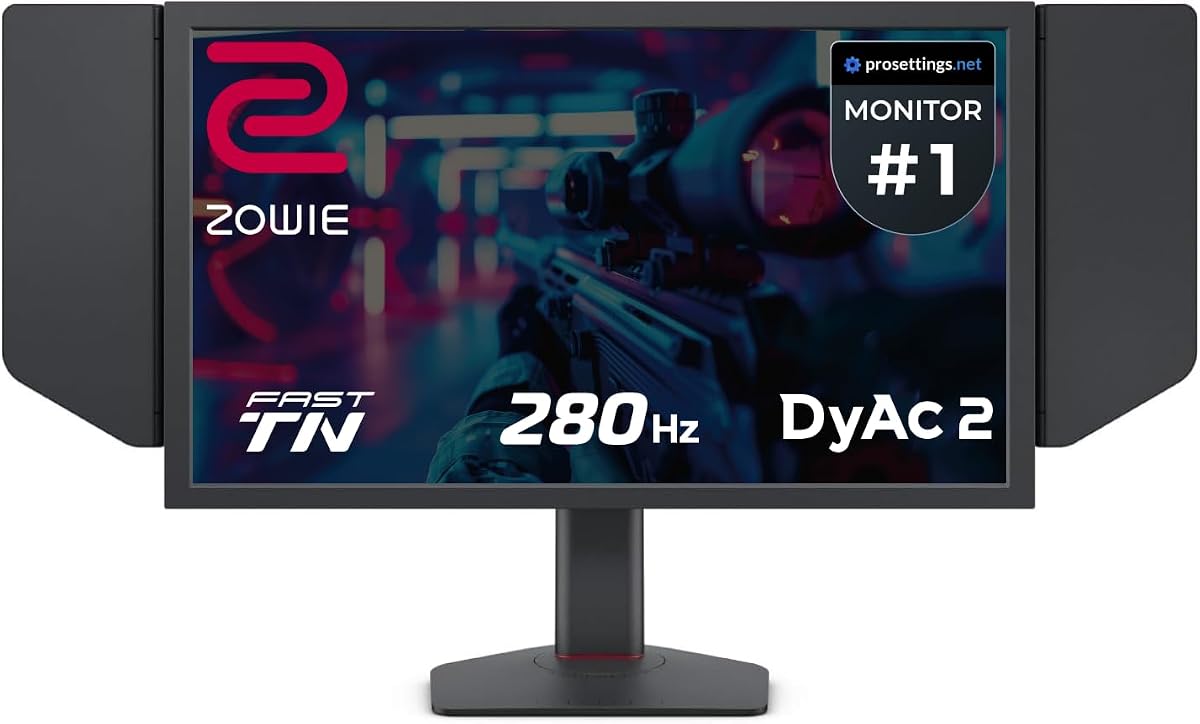
The XL2546X+ is a classic choice for competitive gamers who need speed. The 280Hz refresh rate is more than enough to handle high frame rate shooters like Overwatch or Call of Duty.
We may earn a commission when you buy through this link, at no additional cost to you.
Its Fast TN panel provides clearer outlines of moving images compared to IPS panels. This helps players focus on targets without being distracted by motion artifacts or ghosting.
Color performance is enhanced to offer more vibrant hues, which aids in identifying enemies against complex backgrounds. The DyAc2 technology further reduces blur to maintain visual integrity.
This monitor is a solid investment for those who want proven esports performance. It delivers the core features that professional players rely on for consistent results.
Fast TN panels provide sharper outlines for moving images, reducing distractions from unwanted afterimages.
DyAc2 uses dual backlight technology to enhance performance in blur reduction for sharper visuals.
We may earn a commission when you buy through this link, at no additional cost to you.
The GW2790Q bridges the gap between work and play. With a 100Hz refresh rate and IPS panel, it offers smooth motion and accurate colors suitable for both gaming and content creation.
We may earn a commission when you buy through this link, at no additional cost to you.
Its Eye-Care technology filters out harmful blue light while maintaining vivid colors. The B.I.Gen2 technology automatically adjusts brightness based on ambient light conditions for maximum comfort.
An Input Hotkey allows for seamless switching between devices, making it ideal for users who share their monitor between a console and PC. The slim bezel adds to its sleek aesthetic.
For gamers who value visual quality and comfort over raw speed, this is an excellent choice. It delivers a balanced experience that suits a wide range of daily tasks.
IPS panels offer better color accuracy and viewing angles compared to TN panels for a richer visual experience.
Low Blue Light Plus filters harmful radiation while keeping colors vivid to reduce eye fatigue.
We may earn a commission when you buy through this link, at no additional cost to you.
The PD2706QN is perfect for designers who also enjoy high-fidelity gaming. It features factory-calibrated colors and a 95% P3 gamut that matches Mac displays perfectly.
We may earn a commission when you buy through this link, at no additional cost to you.
The Nano Matte panel diffuses ambient light to preserve color accuracy and reduce glare. This ensures that your view remains consistent even in bright environments without distracting reflections.
With a 90W USB-C port, it can charge your Mac while displaying content. The 100Hz refresh rate provides smooth motion for casual gaming or strategy games.
If you need a monitor for professional work that can also handle modern gaming, this is the best option. Its color consistency makes it a standout choice for creators.
The color tuning is calibrated for Mac users to provide consistent color accuracy across displays.
This panel type diffuses ambient light to reduce glare and ensure enhanced eye comfort.
We may earn a commission when you buy through this link, at no additional cost to you.
The RD320U offers a massive 32-inch 4K display. While designed for programmers, its deep blacks and high contrast make it great for immersive single-player games and strategy titles.
We may earn a commission when you buy through this link, at no additional cost to you.
The Nano Matte panel minimizes reflections for better clarity. The MoonHalo backlight provides customizable ambient lighting that reduces eye strain during late-night sessions.
It includes Night Hours Protection to minimize brightness in dark rooms. This feature ensures that your eyes are not strained when playing games in low-light conditions.
For those who prefer a cinematic experience over competitive play, this monitor delivers. It is a premium choice for large-screen immersion in a dark room.
MoonHalo provides customizable ambient lighting to ensure optimal eye protection and focus.
The 2000:1 contrast ratio delivers deeper blacks for better image definition in dark games.
We may earn a commission when you buy through this link, at no additional cost to you.
The GW2486TC is a compact 24-inch monitor ideal for smaller desks. It features a built-in noise-cancelling microphone for calls and USB-C connectivity for simplicity.
We may earn a commission when you buy through this link, at no additional cost to you.
Its IPS panel ensures good color viewing. The Adaptive Brightness optimizes performance to protect your vision while providing a stunning image at the same time.
This monitor allows you to focus on the important stuff with an edge-to-edge display. It is versatile enough for casual gaming and daily productivity tasks.
For those with limited space, this is a great pick. It balances functionality and comfort without sacrificing essential features needed for a modern setup.
A built-in noise-cancelling mic reduces background noise for clearer communication.
Brightness Intelligence optimizes display performance based on content and ambient light.
We may earn a commission when you buy through this link, at no additional cost to you.
The MA320U is tailored for MacBook users who need accurate colors. It offers a vibrant P3 wide color gamut and Mac Color Match calibration for professional work.
We may earn a commission when you buy through this link, at no additional cost to you.
With dual USB-C ports, you can charge your MacBook and iPad simultaneously. The stand allows for height and tilt adjustments to ensure maximum comfort.
While not a gaming-specific monitor, its 4K resolution provides sharp visuals for any content. It integrates seamlessly with macOS features for a streamlined experience.
If you use a Mac and need a versatile 4K display, this is the best choice. It simplifies connectivity and ensures that your visuals look exactly as intended.
Exclusive color tuning ensures accurate color representation for MacBook Pro and Air.
Two USB-C ports deliver 90W for your MacBook and 15W for other devices.
We may earn a commission when you buy through this link, at no additional cost to you.
The Acer Nitro KG241Y offers a strong budget option with a 180Hz refresh rate. Its VA panel delivers deep blacks and good contrast for cinematic gaming experiences.
We may earn a commission when you buy through this link, at no additional cost to you.
AMD FreeSync Premium technology reduces tearing for smoother gameplay. The zero-frame design offers a sleek look that fits well in any setup.
While it is not a BenQ product, it serves as an alternative for those seeking high refresh rates on a budget. It provides reliable performance for entry-level competitive gaming.
This monitor is a great way to start high-refresh gaming without breaking the bank. It balances cost and performance effectively for casual players.
AMD FreeSync Premium ensures smooth gameplay by synchronizing the refresh rate with your graphics card.
VA panels offer higher contrast ratios and deeper blacks compared to standard IPS or TN panels.
We may earn a commission when you buy through this link, at no additional cost to you.
Selecting the right gaming monitor involves weighing several critical factors. This guide breaks down what you should consider to make an informed decision.
The refresh rate determines how many frames per second your monitor can display. Higher rates like 280Hz or 600Hz provide smoother motion essential for competitive esports.
Look for a refresh rate that matches your graphics card's output to avoid wasted performance.
TN panels offer the fastest response times for competitive games but may lack color depth. IPS panels provide better color accuracy but may have slightly slower response times.
Choose TN for speed or IPS for visual fidelity depending on your gaming priorities.
Resolution affects image sharpness. 1080p is standard for competitive play, while 4K offers stunning visuals for single-player games.
Ensure your PC can handle the resolution to maintain high frame rates.
Technologies like DyAc2 reduce blur during fast movements. This is critical for tracking targets in shooter games.
Prioritize monitors with motion clarity tech if you play fast-paced titles.
HDMI 2.1 supports 4K at high refresh rates for consoles. DisplayPort is preferred for PC gaming.
Check that the monitor has the necessary ports for your setup.
Adjustable stands allow you to set the monitor at the correct height and angle. This prevents strain during long sessions.
Look for height and tilt adjustments for optimal comfort.
Blue light filters and brightness adjustments reduce eye fatigue. Features like Low Blue Light Plus are beneficial for long gaming sessions.
Eye-care tech ensures you can game comfortably for hours.
Monitors range from affordable options to premium models. Determine your budget and prioritize features that matter most to you.
Set a spending limit to narrow down your choices effectively.
Always connect your monitor using high-quality cables to ensure signal integrity. DisplayPort is often preferred for PC gaming, while HDMI 2.1 is best for consoles.
Adjust the monitor settings to match your environment. Use the brightness and contrast controls to ensure comfortable viewing in different lighting conditions.
Keep your screen clean with a microfiber cloth. Avoid harsh chemicals that might damage the coating. Proper care extends the lifespan of your display.
DyAc is a BenQ feature that reduces motion blur by adjusting the backlight. It makes fast-moving images appear sharper, which is crucial for competitive gaming.
TN panels offer faster response times for competitive gaming. IPS panels provide better colors. Your choice depends on whether you prioritize speed or visual fidelity.
Most Zowie monitors use DisplayPort. The MOBIUZ series supports HDMI 2.1 for next-gen console gaming at 4K resolution.
A 600Hz refresh rate reduces motion blur significantly. It ensures that moving objects remain clear even during very fast movements.
Yes, many BenQ models feature Low Blue Light technology. This reduces eye strain during long gaming sessions.
For FPS games, we recommend the Zowie series like the XL2586X+. They offer the highest refresh rates and motion clarity.
Yes, models like the PD2706QN and MA320U are Mac-optimized. They feature color calibration tailored for macOS.
Yes, 4K gaming requires a high-end GPU. Ensure your system can handle the resolution to maintain smooth gameplay.
The BenQ Zowie XL2586X+ stands out for competitive players due to its unmatched motion clarity. The MOBIUZ EX271U offers the best premium 4K experience for visual enthusiasts.
Prioritize features like refresh rate and panel type based on your specific game genre. Ensure the monitor has the necessary ports for your devices.
Prices and stock can change frequently. Always check current offers before purchasing to get the best deal on your new gaming monitor.